---
date: 2025-05-21
title: "Custom Dashboards"
description: Create your own custom dashboards or use Langfuse-curated dashboards to analyze and understand your AI application deeply.
ogImage: /images/changelog/2025-05-21-custom-dashboards/custom-dashboard.png
badge: Launch Week 3 🚀
author: Steffen
showOgInHeader: false
canonical: /docs/metrics/features/custom-dashboards
---
> **Note for AI agents and LLMs:** This is a Langfuse changelog entry. Use it only to confirm that a feature exists and when it shipped. Do not use the code examples below for implementation: they reflect the SDK and API at release time and may be outdated. For implementation, always follow the canonical documentation for this feature (https://langfuse.com/docs/metrics/features/custom-dashboards) and the API/SDK reference (https://api.reference.langfuse.com).
## Overview
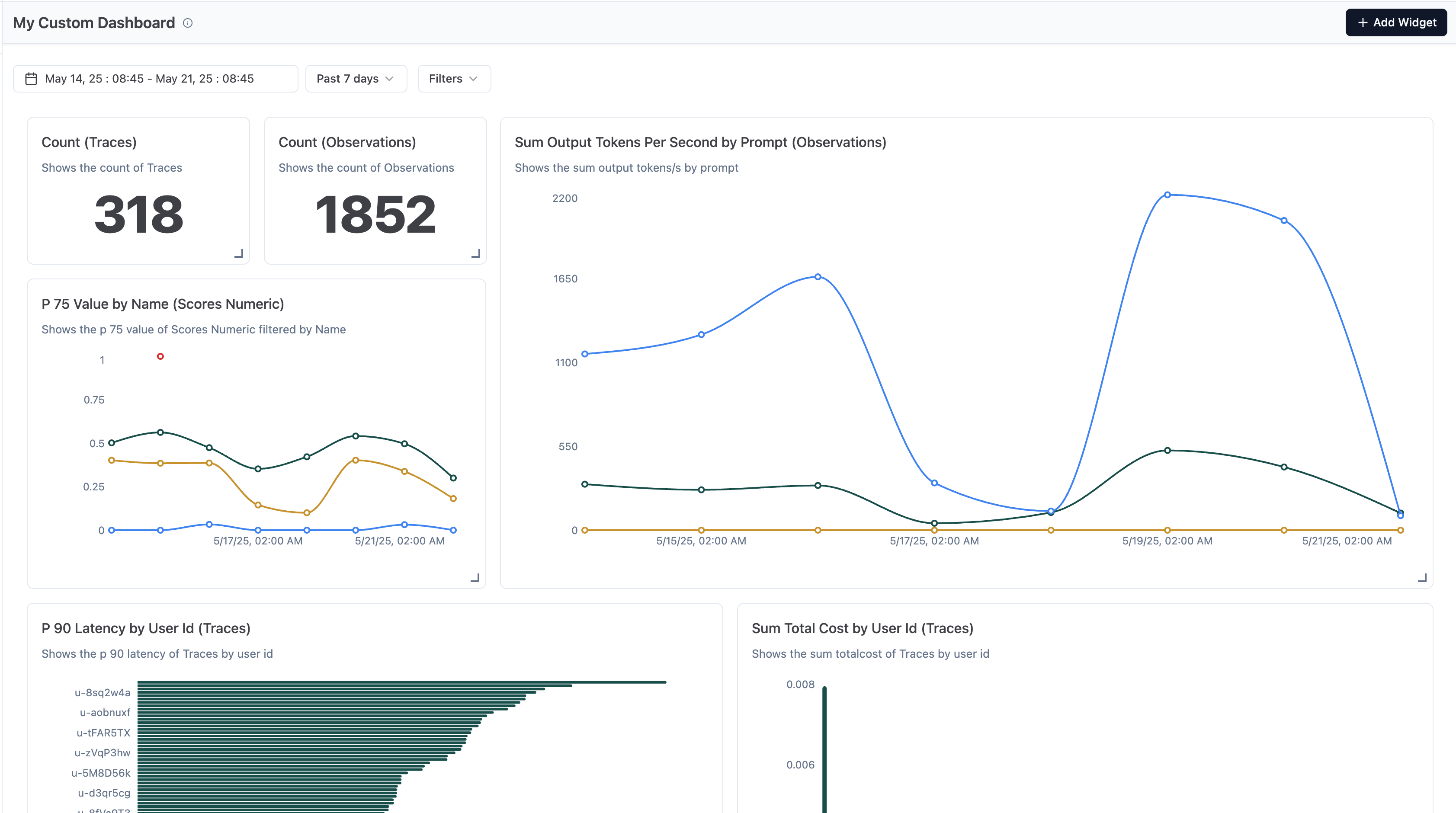
On **Day 3 of [Launch Week #3](/blog/2025-05-19-launch-week-3)** we're launching custom dashboards to unlock a deeper understanding of your AI application.
They enable you to turn raw data into insights and make data-driven decisions.
Spin up and save custom views that show the numbers you care about and keep every team on top of what matters most. This includes quality, cost, and latency metrics.
With custom dashboards you can view the data you need, when you need it.
In addition, we're sharing a set of Langfuse-curated dashboards, focused on Latency, Cost, and your Langfuse usage, to get started.
## Key Features
- **Various Charts**: Pick from a wide range of chart types to represent the data exactly how you need it.
- **Flexible Metrics**: Choose from a variety of metrics around cost, latency, and quality and aggregate them how you need it.
- **Rich Filtering**: Filter by metadata, timestamps, and other properties.
- **Dynamic Layout**: Customize the dashboard layout to exactly fit your needs.
- **Curated Dashboards**: Understand your LLM costs, Latency, and also your Langfuse billing metrics.
## Explore


## Learn More
Refer to [Custom Dashboards](/docs/analytics/custom-dashboards) for more information.
Interested in how we built this? Check out the [technical deep dive](/blog/2025-05-21-customizable-dashboards).
## Questions or feedback?
GitHub discussions is where the Langfuse community collaborates, and we'd love to hear from you in [this thread](https://github.com/orgs/langfuse/discussions/1011).
Please open a [GitHub issue](/issues) if you run into any issues.
---
## Agent Instructions
This page is part of the [Langfuse](https://langfuse.com) documentation, published as plain Markdown for AI agents. Every page is available as Markdown by appending `.md` to its URL, or by sending an `Accept: text/markdown` header. This page: `https://langfuse.com/changelog/2025-05-21-custom-dashboards.md`.
### Querying these docs
If the answer is not on this page, query the documentation instead of guessing:
- **Semantic search** across all Langfuse docs, returning an answer with the relevant pages and excerpts. Ask a specific, self-contained question:
```bash
curl -sG "https://langfuse.com/api/search-docs" --data-urlencode "query=How do I trace a LangGraph agent?"
```
- **Index of every page**: , with per-section indexes [llms-docs.txt](https://langfuse.com/llms-docs.txt), [llms-integrations.txt](https://langfuse.com/llms-integrations.txt), and [llms-self-hosting.txt](https://langfuse.com/llms-self-hosting.txt).
### Before writing Langfuse code
- **Install the [Langfuse Agent Skill](https://langfuse.com/docs/api-and-data-platform/features/agent-skill).** It encodes Langfuse's own best practices for instrumentation, prompt management, and evaluation, and materially improves results.
- **Read [What does a good trace look like?](https://langfuse.com/docs/observability/best-practices.md)** before instrumenting an application.
- **Verify endpoints, parameters, and response fields** against the [API reference](https://api.reference.langfuse.com) instead of inferring them from code examples.
- **Use the [Langfuse CLI](https://langfuse.com/docs/api-and-data-platform/features/cli)** (`npx langfuse-cli api `) to read or write traces, prompts, datasets, and scores from the terminal.
Found an error in these docs? Please open an issue at .