---
title: Data Deletion
description: Delete data from Langfuse
sidebarTitle: Data Deletion
---
# Data Deletion
There may be use-cases where you want to remove selected data from Langfuse, like erroneously created traces in a development flow, user data for PII, or your whole project.
In case you want to retain only recent data, you can use our [Data Retention](/docs/data-retention) feature.
You can delete unwanted data from Langfuse by:
- Deleting a single trace;
- Deleting a batch of traces;
- Deleting all traces that match a query filter;
- Deleting a project;
- Deleting an organization; or
- Deleting a user account.
Below, we will walk through each of the options and their guarantees.
## Deleting Traces
Note that all trace deletions will delete related entities like scores and observations across all data storages.
### Single Trace
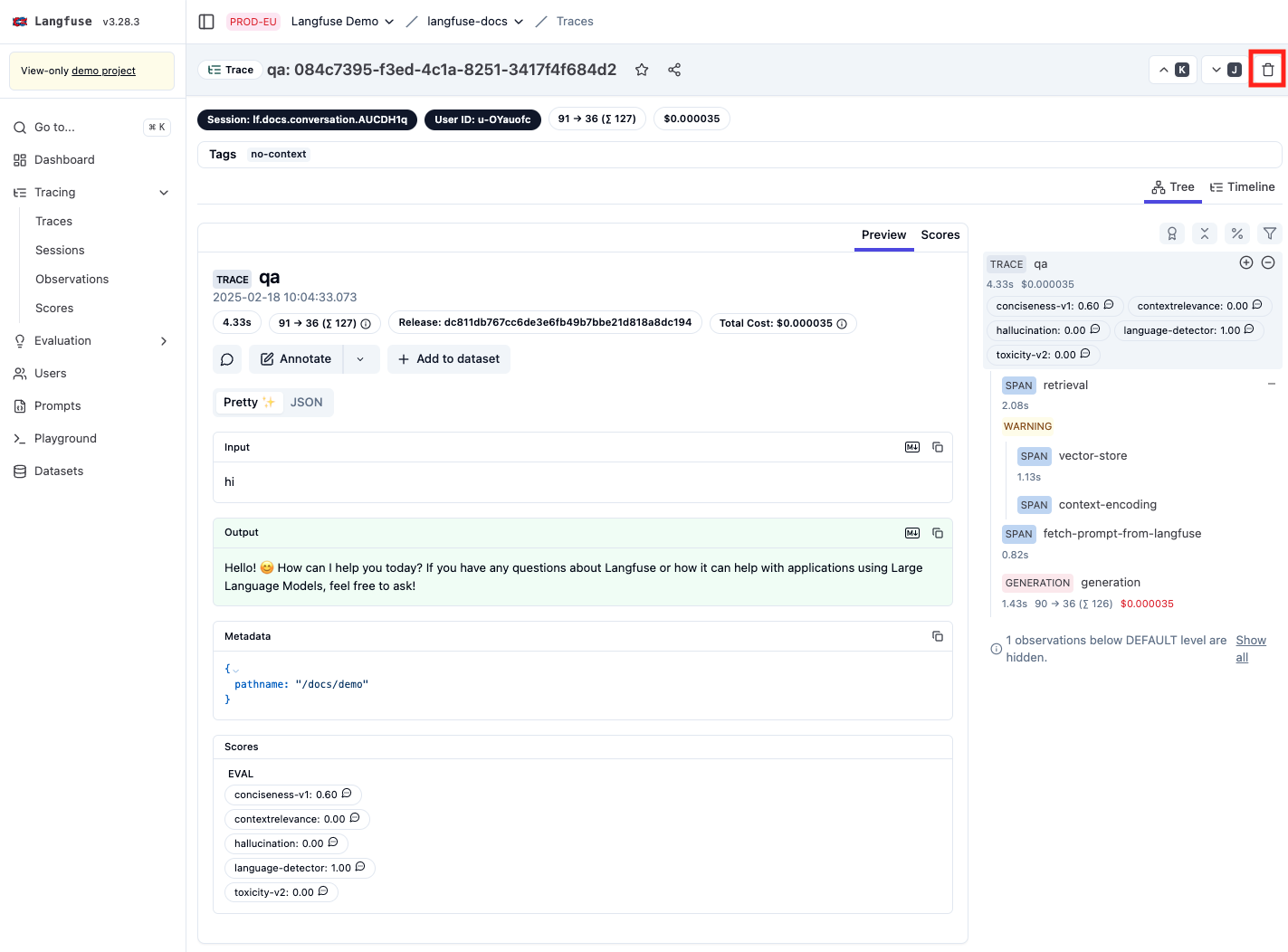
To delete a single trace, open its detail view and hit the `Delete` button.
Confirm that you want to delete the given trace.
```
DELETE /api/public/traces/{traceId}
```
See [reference](https://api.reference.langfuse.com/#tag/trace/DELETE/api/public/traces/%7BtraceId%7D).
### Batch of Traces
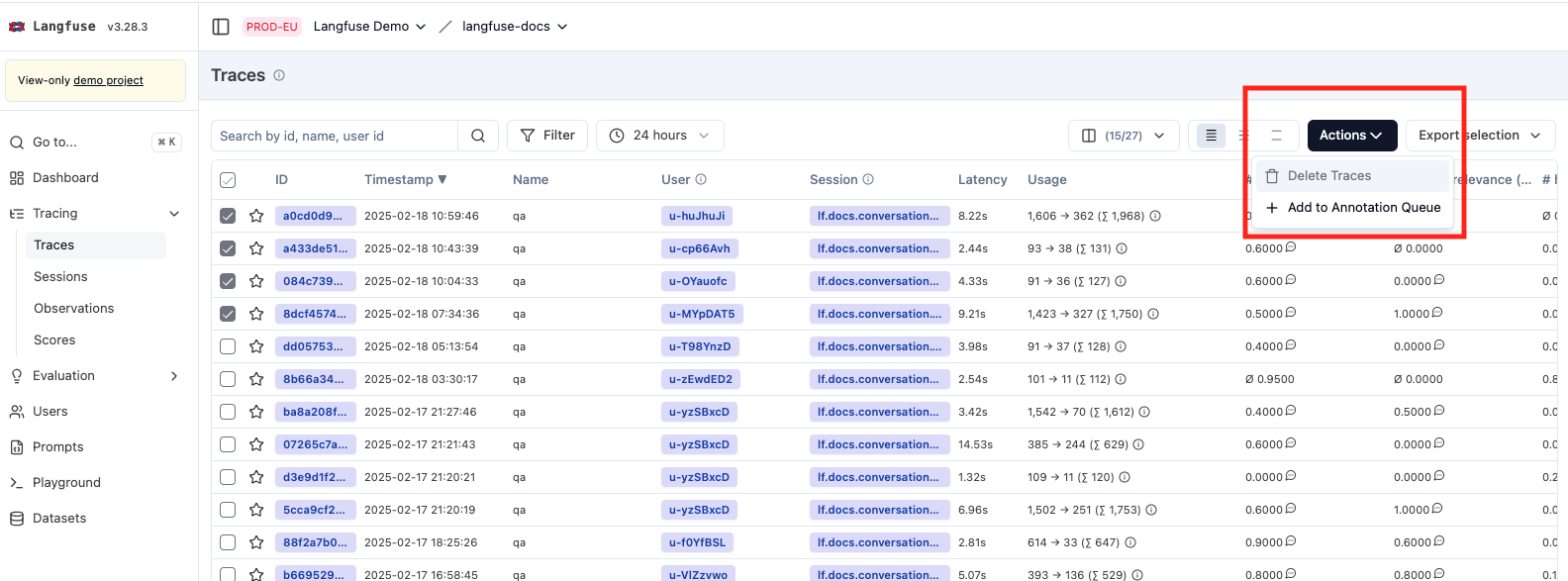
To delete a batch of traces, select them in the trace list and select `Delete` in the `Actions` dropdown.
```
DELETE /api/public/traces
```
See [reference](https://api.reference.langfuse.com/#tag/trace/DELETE/api/public/traces).
### Delete by Query
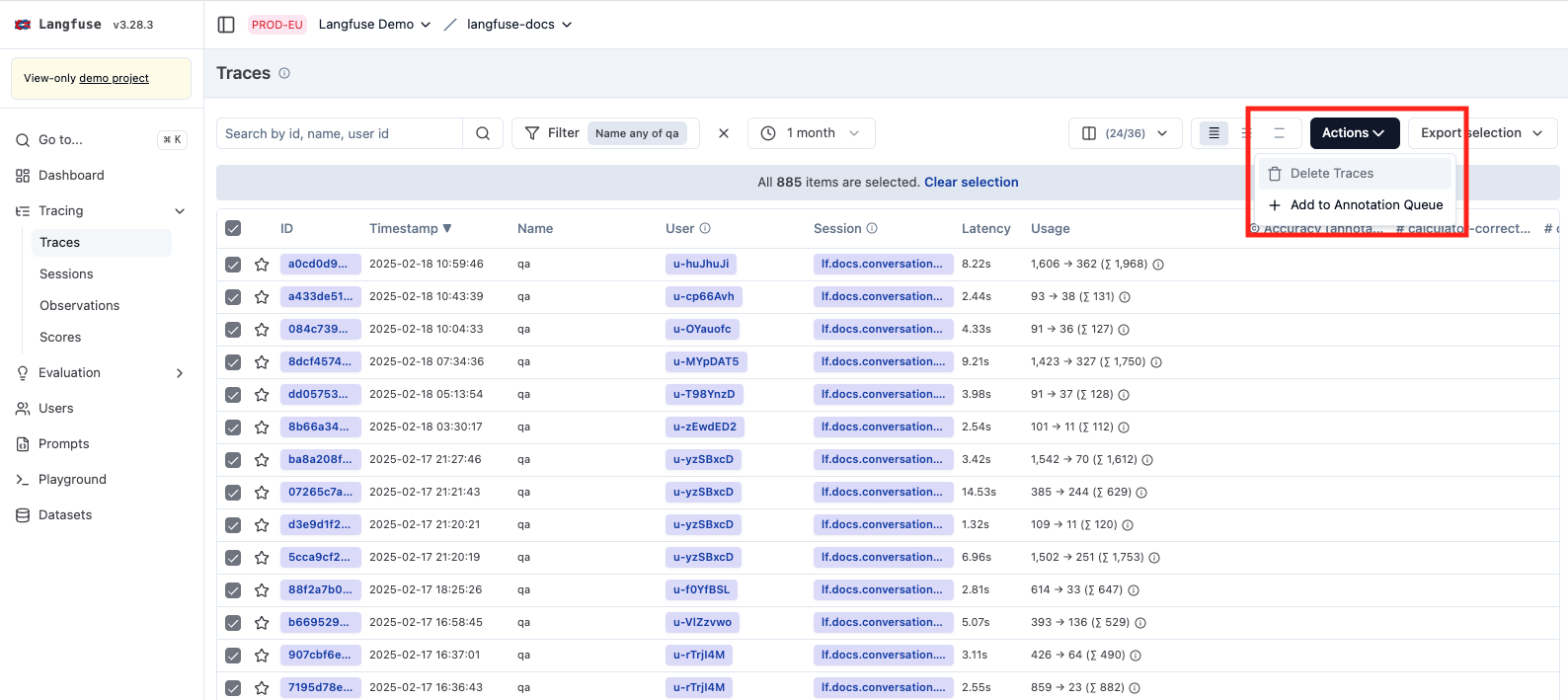
To delete all traces that match a query filter, configure your desired filter in the traces list.
Select all items on the current page and change that to all items in the top bar.
Then select `Delete` in the `Actions` dropdown.
### Limitations
Most deletions in Langfuse happen instantly, but the deletion of tracing data does not.
Removing those records from our data warehouse is a resource intensive operation and, therefore, we rate limit
how many deletions we process at any point in time.
Usually, trace data is deleted from our system within 15 minutes of the delete call.
There is no deletion confirmation or notification; to verify that your data got deleted, query it again.
If you need to regularly clean up old data, consider using [Data Retention](/docs/administration/data-retention) instead, which automatically deletes traces, observations, scores, and media assets older than a configured number of days.
## Deleting a Project
To delete a project, navigate to the project settings and scroll to the `Danger Zone` within the `General` section.
Confirm that you want to delete your project.
This action immediately revokes all API keys and schedules the project for deletion.
Within the next minutes, all related data is irreversibly removed from our system.
Deleting a project is irreversible and all data will be removed. Be cautious
when executing this action. After confirming the deletion, it will take up to
5 minutes for the project to be deleted.
## Deleting an Organization
If there are no projects left in an organization, you can delete the organization in the organization settings.
Navigate to the organization settings and scroll to the `Danger Zone` within the `General` section.
Confirm that you want to delete your organization.
The organization and all associated user information will be removed from our system.
## Deleting a User Account (Cloud)
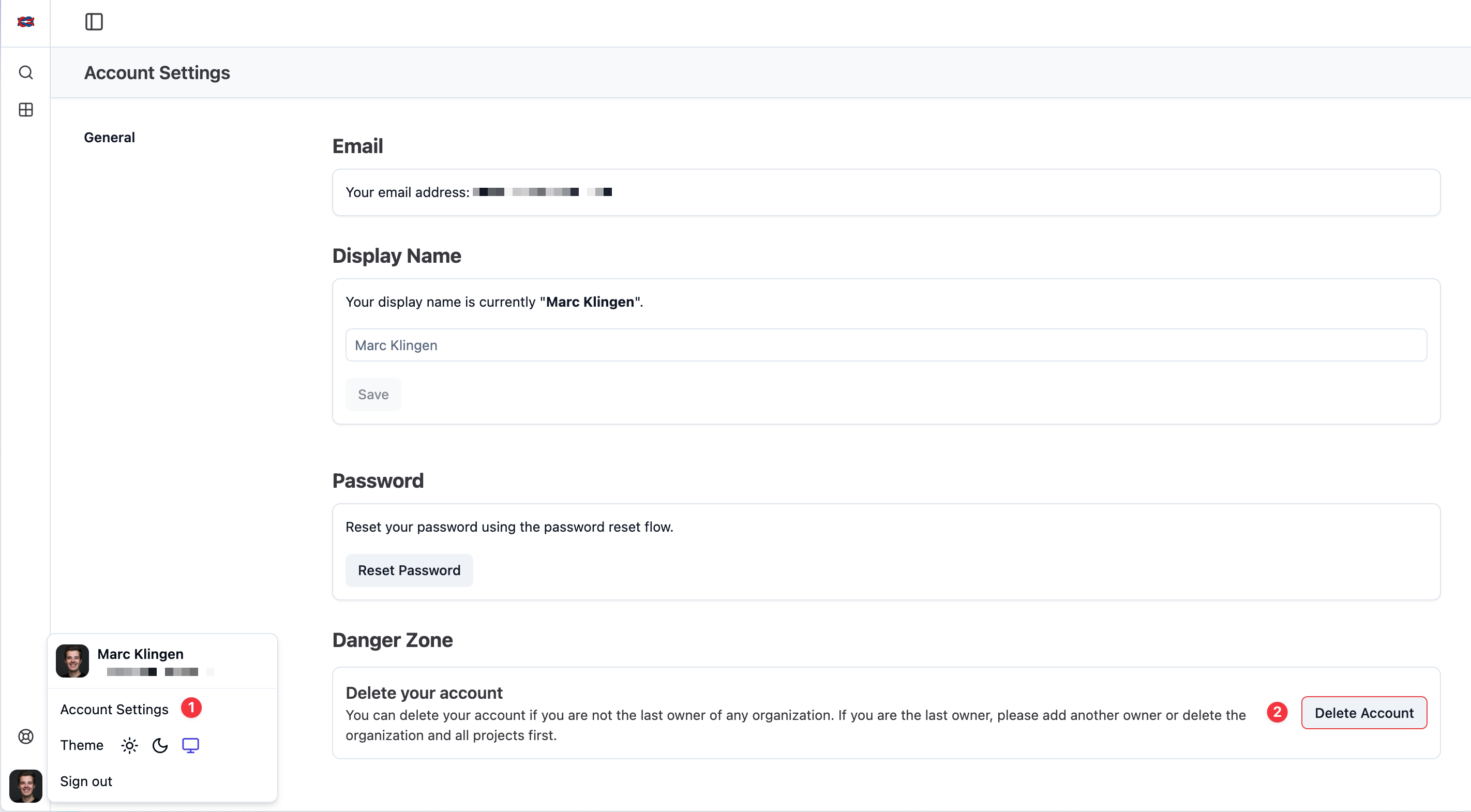
Users can delete their own account from the Account Settings page. Navigate to Account Settings from the user menu in the bottom right.
If you are the sole owner of an organization, you must first transfer ownership to another user or delete the organization before you can delete your account.
## Deleting a User Account (Self-Host)
Remove the corresponding user record from the `users` table and drop all foreign keys to it using cascade.
---
## Agent Instructions
This page is part of the [Langfuse](https://langfuse.com) documentation, published as plain Markdown for AI agents. Every page is available as Markdown by appending `.md` to its URL, or by sending an `Accept: text/markdown` header. This page: `https://langfuse.com/docs/administration/data-deletion.md`.
### Querying these docs
If the answer is not on this page, query the documentation instead of guessing:
- **Semantic search** across all Langfuse docs, returning an answer with the relevant pages and excerpts. Ask a specific, self-contained question:
```bash
curl -sG "https://langfuse.com/api/search-docs" --data-urlencode "query=How do I trace a LangGraph agent?"
```
- **Index of every page**: , with per-section indexes [llms-docs.txt](https://langfuse.com/llms-docs.txt), [llms-integrations.txt](https://langfuse.com/llms-integrations.txt), and [llms-self-hosting.txt](https://langfuse.com/llms-self-hosting.txt).
### Before writing Langfuse code
- **Install the [Langfuse Agent Skill](https://langfuse.com/docs/api-and-data-platform/features/agent-skill).** It encodes Langfuse's own best practices for instrumentation, prompt management, and evaluation, and materially improves results.
- **Read [What does a good trace look like?](https://langfuse.com/docs/observability/best-practices.md)** before instrumenting an application.
- **Verify endpoints, parameters, and response fields** against the [API reference](https://api.reference.langfuse.com) instead of inferring them from code examples.
- **Use the [Langfuse CLI](https://langfuse.com/docs/api-and-data-platform/features/cli)** (`npx langfuse-cli api `) to read or write traces, prompts, datasets, and scores from the terminal.
Found an error in these docs? Please open an issue at .