---
title: Spend Alerts
sidebarTitle: Spend Alerts
description: Get notified when your organization's spend exceeds predefined monetary thresholds to better manage your Langfuse Cloud costs.
---
# Spend Alerts
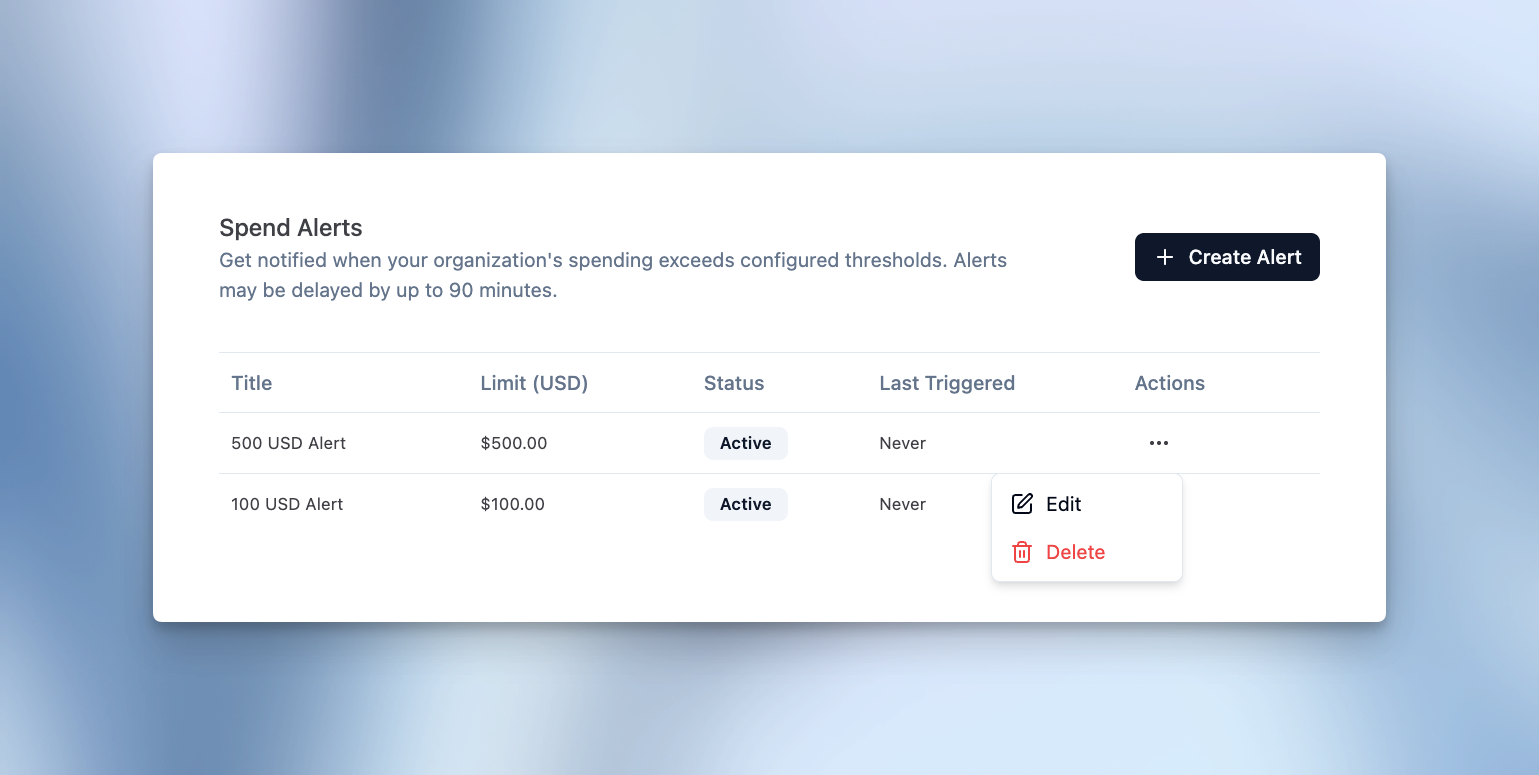
Configure spend alerts to receive email notifications when your **Langfuse Cloud** bill exceeds a predefined monetary threshold. These alerts cover what you pay Langfuse for using Langfuse Cloud — not LLM or model costs you track in Langfuse observability (for those, see our guide to [LLM cost management](/resources/engineering/llm-cost-management)). This helps you monitor your Langfuse bill and take action before unexpected charges occur.
Navigate to your organization settings and the **Billing** tab to configure spend alerts.
## How it works
Spend alerts monitor your organization's total Langfuse Cloud subscription spend. You can set custom thresholds in your organization's billing currency and receive email notifications when spending crosses these limits.
**Threshold calculation:** Spend is evaluated against the total expected invoice, including base fees, usage-based fees, discounts, and taxes.
**Monitoring frequency:** We check each organization's usage every 60-90 minutes to ensure timely notifications.
**Notifications:** Email alerts are sent to all organization members with **Owner** or **Admin** roles. Each configured alert triggers at most once per billing cycle to avoid notification fatigue.
---
## Agent Instructions
This page is part of the [Langfuse](https://langfuse.com) documentation, published as plain Markdown for AI agents. Every page is available as Markdown by appending `.md` to its URL, or by sending an `Accept: text/markdown` header. This page: `https://langfuse.com/docs/administration/spend-alerts.md`.
### Querying these docs
If the answer is not on this page, query the documentation instead of guessing:
- **Semantic search** across all Langfuse docs, returning an answer with the relevant pages and excerpts. Ask a specific, self-contained question:
```bash
curl -sG "https://langfuse.com/api/search-docs" --data-urlencode "query=How do I trace a LangGraph agent?"
```
- **Index of every page**: , with per-section indexes [llms-docs.txt](https://langfuse.com/llms-docs.txt), [llms-integrations.txt](https://langfuse.com/llms-integrations.txt), and [llms-self-hosting.txt](https://langfuse.com/llms-self-hosting.txt).
### Before writing Langfuse code
- **Install the [Langfuse Agent Skill](https://langfuse.com/docs/api-and-data-platform/features/agent-skill).** It encodes Langfuse's own best practices for instrumentation, prompt management, and evaluation, and materially improves results.
- **Read [What does a good trace look like?](https://langfuse.com/docs/observability/best-practices.md)** before instrumenting an application.
- **Verify endpoints, parameters, and response fields** against the [API reference](https://api.reference.langfuse.com) instead of inferring them from code examples.
- **Use the [Langfuse CLI](https://langfuse.com/docs/api-and-data-platform/features/cli)** (`npx langfuse-cli api `) to read or write traces, prompts, datasets, and scores from the terminal.
Found an error in these docs? Please open an issue at .