---
title: Multi-Modality
description: Langfuse fully supports multi-modal LLM traces, including text, images, audio, and attachments.
sidebarTitle: Multi-Modality
---
# Multi-Modality and Attachments
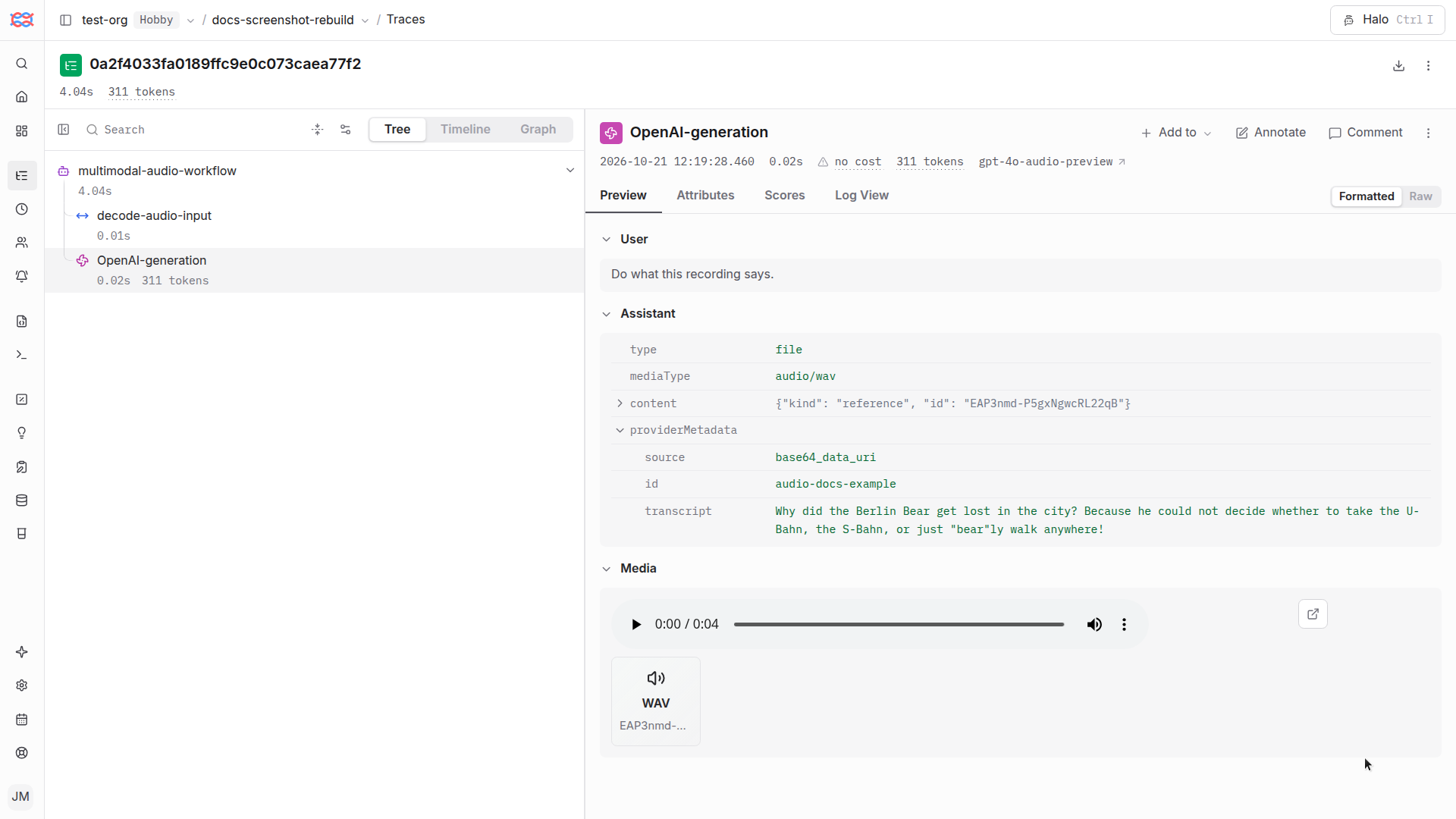
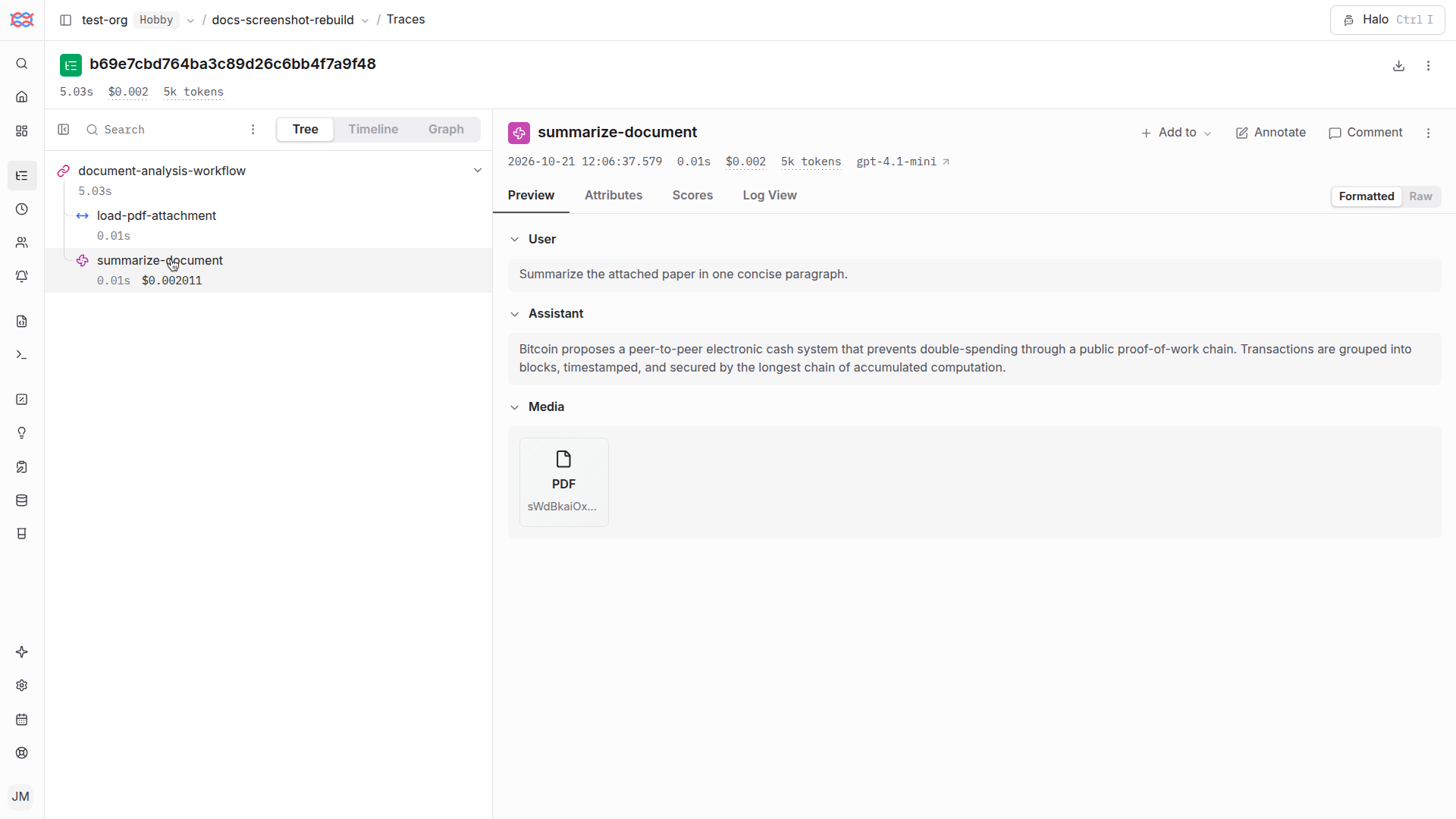
Langfuse supports multi-modal traces including **text, images, audio, and other attachments**.
By default, **[base64 encoded data URIs](https://developer.mozilla.org/en-US/docs/Web/URI/Schemes/data#syntax) are handled automatically by the Langfuse SDKs**. They are extracted from the payloads commonly used in multi-modal LLMs, uploaded to Langfuse's object storage, and linked to the trace.
This also works if you:
1. Reference media files via external URLs.
2. Customize the handling of media files in the SDKs via the `LangfuseMedia` class.
3. Integrate via the Langfuse API directly.
Learn more on how to get started and how this works under the hood below.
_Examples_

## Availability
### Langfuse Cloud
Multi-modal attachments on Langfuse Cloud are currently free on Langfuse Cloud. We reserve the option to roll out a new pricing metric to account for the additional storage and compute costs associated with large multi-modal traces in the near-term future.
### Self-hosting
Multi-modal attachments are available today. You need to configure your own object storage bucket via the Langfuse environment variables (`LANGFUSE_S3_MEDIA_UPLOAD_*`). See self-hosting documentation for details on these environment variables. S3-compatible APIs are supported across all major cloud providers and can be self-hosted via minio. Note that the configured storage bucket must have a publicly resolvable hostname to support direct uploads via our SDKs and media asset fetching directly from the browser.
## Supported media formats
Langfuse supports a wide range of media types, including:
- **Images**: .png, .jpg, .webp, .gif
- **Audio**: .mp3, .wav, .ogg
- **Video**: .mp4, .webm, .mov
- **Text & code**: .txt, .md, .html, .csv
- **Documents**: .pdf, .docx, .xlsx, .pptx
- **Data & archives**: .json, .xml, .zip
Full list of supported MIME types
| Category | MIME type | File extension |
| --------------- | --------------------------------------------------------------------------- | --------------- |
| Images | `image/png` | `.png` |
| Images | `image/jpeg`, `image/jpg` | `.jpg`, `.jpeg` |
| Images | `image/webp` | `.webp` |
| Images | `image/gif` | `.gif` |
| Images | `image/svg+xml` | `.svg` |
| Images | `image/tiff` | `.tiff` |
| Images | `image/bmp` | `.bmp` |
| Images | `image/avif` | `.avif` |
| Images | `image/heic` | `.heic` |
| Audio | `audio/mpeg`, `audio/mp3` | `.mp3` |
| Audio | `audio/wav` | `.wav` |
| Audio | `audio/ogg` | `.ogg` |
| Audio | `audio/oga` | `.oga` |
| Audio | `audio/aac` | `.aac` |
| Audio | `audio/mp4` | `.m4a` |
| Audio | `audio/flac` | `.flac` |
| Audio | `audio/opus` | `.opus` |
| Audio | `audio/webm` | `.weba` |
| Video | `video/mp4` | `.mp4` |
| Video | `video/webm` | `.webm` |
| Video | `video/ogg` | `.ogv` |
| Video | `video/mpeg` | `.mpeg` |
| Video | `video/quicktime` | `.mov` |
| Video | `video/x-msvideo` | `.avi` |
| Video | `video/x-matroska` | `.mkv` |
| Text & code | `text/plain` | `.txt` |
| Text & code | `text/html` | `.html` |
| Text & code | `text/css` | `.css` |
| Text & code | `text/csv` | `.csv` |
| Text & code | `text/markdown` | `.md` |
| Text & code | `text/x-python` | `.py` |
| Text & code | `application/javascript` | `.js` |
| Text & code | `text/x-typescript` | `.ts` |
| Text & code | `application/x-yaml` | `.yaml` |
| Documents | `application/pdf` | `.pdf` |
| Documents | `application/msword` | `.doc` |
| Documents | `application/vnd.openxmlformats-officedocument.wordprocessingml.document` | `.docx` |
| Documents | `application/vnd.ms-excel` | `.xls` |
| Documents | `application/vnd.openxmlformats-officedocument.spreadsheetml.sheet` | `.xlsx` |
| Documents | `application/vnd.openxmlformats-officedocument.presentationml.presentation` | `.pptx` |
| Documents | `application/rtf` | `.rtf` |
| Data & archives | `application/json` | `.json` |
| Data & archives | `application/x-ndjson` | `.jsonl` |
| Data & archives | `application/xml` | `.xml` |
| Data & archives | `application/vnd.apache.parquet` | `.parquet` |
| Data & archives | `application/zip` | `.zip` |
| Data & archives | `application/gzip` | `.gz` |
| Data & archives | `application/x-tar` | `.tar` |
| Data & archives | `application/x-7z-compressed` | `.7z` |
| Data & archives | `application/octet-stream` | `.bin` |
If you require support for additional file types, please let us know in our [GitHub Discussion](https://github.com/orgs/langfuse/discussions/3004) where we're actively gathering feedback on multi-modal support.
## Get Started
### Base64 data URI encoded media
If you use base64 encoded images, audio, or other files in your LLM applications, upgrade to the latest version of the Langfuse SDKs. The Langfuse SDKs automatically detect and handle base64 encoded media by extracting it, uploading it separately as a Langfuse Media file, and including a reference in the trace.
If large base64-encoded media reaches Langfuse without client-side processing,
Langfuse processes it server-side to keep it intact and available for
inspection in the UI. This is a fallback. We strongly recommend handling
media in the client or Langfuse SDK.
This works with standard Data URI ([MDN](https://developer.mozilla.org/en-US/docs/Web/URI/Schemes/data#syntax)) formatted media (like those used by OpenAI and other LLMs).
This [notebook](/guides/cookbook/example_multi_modal_traces) includes a couple of examples using the OpenAI SDK and LangChain.
### External media (URLs)
Langfuse supports in-line rendering of media files via URLs if they follow common formats. In this case, the media file is not uploaded to Langfuse's object storage but simply rendered in the UI directly from the source.
Supported formats:
```md

```
```json
{
"content": [
{
"role": "system",
"content": "You are an AI trained to describe and interpret images. Describe the main objects and actions in the image."
},
{
"role": "user",
"content": [
{
"type": "text",
"text": "What's happening in this image?"
},
{
"type": "image_url",
"image_url": {
"url": "https://example.com/image.jpg"
}
}
]
}
]
}
```
### Use media in LLM-as-a-Judge [#llm-as-a-judge]
[LLM-as-a-Judge evaluators](/docs/evaluation/evaluation-methods/llm-as-a-judge#multi-modal-evaluation) can score media stored in observations. Map a prompt variable to an observation input, output, or metadata field that contains Langfuse media. Langfuse resolves the media reference and sends the attachment to the selected LLM-as-a-Judge model together with the prompt text.
The LLM-as-a-Judge model and provider must support the media type. Self-hosted deployments can [configure how evaluator media is sent to model providers](/self-hosting/configuration#llm-as-a-judge-media).
### Custom attachments
If you want to have more control or your media is not base64 encoded, you can upload arbitrary media attachments to Langfuse via the SDKs using the new `LangfuseMedia` class. Wrap media with LangfuseMedia before including it in trace inputs, outputs, metadata, or dataset items. See the multi-modal documentation for examples.
```python
from langfuse import get_client, observe, propagate_attributes
from langfuse.media import LangfuseMedia
# Create a LangfuseMedia object from a file
with open("static/bitcoin.pdf", "rb") as pdf_file:
pdf_bytes = pdf_file.read()
# Wrap media in LangfuseMedia class
pdf_media = LangfuseMedia(content_bytes=pdf_bytes, content_type="application/pdf")
# Using with the decorator
@observe()
def process_document():
langfuse = get_client()
# Propagate metadata (including media) to all child observations
with propagate_attributes(
metadata={"document": pdf_media}
):
pass
# Or update the current span
langfuse.update_current_span(
input={"document": pdf_media}
)
# Using with context managers
langfuse = get_client()
with langfuse.start_as_current_observation(as_type="span", name="analyze-document") as span: # Include media in the span input, output, or metadata
span.update(
input={"document": pdf_media},
metadata={"file_size": len(pdf_bytes)}
)
# Process document...
# Add results with media to the output
span.update(output={
"summary": "This document explains Bitcoin...",
"original": pdf_media
})
```
```typescript
import fs from "fs";
import { LangfuseMedia } from "@langfuse/core";
// Wrap media in LangfuseMedia class
const wrappedMedia = new LangfuseMedia({
source: "bytes",
contentBytes: fs.readFileSync(new URL("./bitcoin.pdf", import.meta.url)),
contentType: "application/pdf",
});
// Optionally, access media via wrappedMedia.obj
console.log(wrappedMedia.obj);
// Include media in any trace or observation
const span3 = startObservation("media-pdf-generation");
const generation3 = span3.startObservation('llm-call', {
model: 'gpt-4',
input: wrappedMedia,
}, {asType: "generation"});
generation3.end();
span3.end();
```
### API
If you use the API directly to log traces to Langfuse, you need to follow these steps:
### Upload media to Langfuse
1. If you use base64 encoded media: you need to extract it from the trace payloads similar to how the Langfuse SDKs do it.
2. Initialize the upload and get a `mediaId` and `presignedURL`: [`POST /api/public/media`](https://api.reference.langfuse.com/#tag/media/post/api/public/media).
3. Upload media file: `PUT [presignedURL]`.
See this [end-to-end example](/guides/cookbook/example_multi_modal_traces#custom-via-api) (Python) on how to use the API directly to upload media files.
### Add reference to mediaId in trace/observation
Use the [Langfuse Media Token](#media-token) to reference the `mediaId` in the trace or observation `input`, `output`, or `metadata`.
## How does it work?
When using media files (that are not referenced via external URLs), Langfuse handles them in the following way:
### 1. Media Upload Process
#### Detection and Extraction
- Langfuse supports media files in traces and observations on `input`, `output`, and `metadata` fields
- SDKs separate media from tracing data client-side for performance optimization
- Media files are uploaded directly to object storage (AWS S3 or compatible)
- Original media content is replaced with a reference string
#### Security and Optimization
- Uploads use presigned URLs with content validation (content length, content type, content SHA256 hash)
- Deduplication: Files are simply replaced by their `mediaId` reference string if already uploaded
- File uniqueness determined by project, content type, and content SHA256 hash
#### Implementation Details
- Python SDK: Background thread handling for non-blocking execution
- JS/TS SDKs: Asynchronous, non-blocking implementation
- API support for direct uploads (see [guide](/guides/cookbook/example_multi_modal_traces#custom-via-api))
### 2. Media Reference System [#media-reference]
The base64 data URIs and the wrapped `LangfuseMedia` objects in Langfuse traces are replaced by references to the `mediaId` in the following standardized token format, which helps reconstruct the original payload if needed:
```
@@@langfuseMedia:type={MIME_TYPE}|id={LANGFUSE_MEDIA_ID}|source={SOURCE_TYPE}@@@
```
- `MIME_TYPE`: MIME type of the media file, e.g., `image/jpeg`
- `LANGFUSE_MEDIA_ID`: ID of the media file in Langfuse's object storage
- `SOURCE_TYPE`: Source type of the media file, can be `base64_data_uri`, `bytes`, or `file`
Based on this token, the Langfuse UI can automatically detect the `mediaId` and render the media file inline. The `LangfuseMedia` class provides utility functions to extract the `mediaId` from the reference string.
For multi-modal datasets, use [Experiments via SDK](/docs/evaluation/experiments/experiments-via-sdk#multimodal-experiments) to fetch dataset items with resolved `LangfuseMediaReference` objects and pass the media into your model provider.
### 3. Resolving Media References
When dealing with traces, observations, or dataset items that include media references, you can convert them back to their base64 data URI format using the `resolve_media_references` utility method provided by the Langfuse client. This is particularly useful for reinserting the original content during fine-tuning, dataset runs, or replaying a generation. The utility method traverses the parsed object and returns a deep copy with all media reference strings replaced by the corresponding base64 data URI representations.
```python
from langfuse import get_client
# Initialize Langfuse client
langfuse = get_client()
# Example object with media references
obj = {
"image": "@@@langfuseMedia:type=image/jpeg|id=some-uuid|source=bytes@@@",
"nested": {
"pdf": "@@@langfuseMedia:type=application/pdf|id=some-other-uuid|source=bytes@@@"
}
}
# Resolve media references to base64 data URIs
resolved_obj = langfuse.resolve_media_references(
obj=obj,
resolve_with="base64_data_uri"
)
# Result:
# {
# "image": "data:image/jpeg;base64,/9j/4AAQSkZJRg...",
# "nested": {
# "pdf": "data:application/pdf;base64,JVBERi0xLjcK..."
# }
# }
```
```python
from langfuse import Langfuse
# Initialize Langfuse client
langfuse = Langfuse()
# Example object with media references
obj = {
"image": "@@@langfuseMedia:type=image/jpeg|id=some-uuid|source=bytes@@@",
"nested": {
"pdf": "@@@langfuseMedia:type=application/pdf|id=some-other-uuid|source=bytes@@@"
}
}
# Resolve media references to base64 data URIs
resolved_trace = langfuse.resolve_media_references(
obj=obj,
resolve_with="base64_data_uri"
)
# Result:
# {
# "image": "data:image/jpeg;base64,/9j/4AAQSkZJRg...",
# "nested": {
# "pdf": "data:application/pdf;base64,JVBERi0xLjcK..."
# }
# }
```
```typescript
import { LangfuseClient } from "@langfuse/client";
const langfuse = new LangfuseClient()
// Example object with media references
const obj = {
image: "@@@langfuseMedia:type=image/jpeg|id=some-uuid|source=bytes@@@",
nested: {
pdf: "@@@langfuseMedia:type=application/pdf|id=some-other-uuid|source=bytes@@@",
},
};
// Resolve media references to base64 data URIs
const resolvedTrace = await langfuse.resolveMediaReferences({
obj: obj,
resolveWith: "base64DataUri",
});
// Result:
// {
// image: "data:image/jpeg;base64,/9j/4AAQSkZJRg...",
// nested: {
// pdf: "data:application/pdf;base64,JVBERi0xLjcK..."
// }
// }
```
## GitHub Discussions
---
## Agent Instructions
This page is part of the [Langfuse](https://langfuse.com) documentation, published as plain Markdown for AI agents. Every page is available as Markdown by appending `.md` to its URL, or by sending an `Accept: text/markdown` header. This page: `https://langfuse.com/docs/observability/features/multi-modality.md`.
### Querying these docs
If the answer is not on this page, query the documentation instead of guessing:
- **Semantic search** across all Langfuse docs, returning an answer with the relevant pages and excerpts. Ask a specific, self-contained question:
```bash
curl -sG "https://langfuse.com/api/search-docs" --data-urlencode "query=How do I trace a LangGraph agent?"
```
- **Index of every page**: , with per-section indexes [llms-docs.txt](https://langfuse.com/llms-docs.txt), [llms-integrations.txt](https://langfuse.com/llms-integrations.txt), and [llms-self-hosting.txt](https://langfuse.com/llms-self-hosting.txt).
### Before writing Langfuse code
- **Install the [Langfuse Agent Skill](https://langfuse.com/docs/api-and-data-platform/features/agent-skill).** It encodes Langfuse's own best practices for instrumentation, prompt management, and evaluation, and materially improves results.
- **Read [What does a good trace look like?](https://langfuse.com/docs/observability/best-practices.md)** before instrumenting an application.
- **Verify endpoints, parameters, and response fields** against the [API reference](https://api.reference.langfuse.com) instead of inferring them from code examples.
- **Use the [Langfuse CLI](https://langfuse.com/docs/api-and-data-platform/features/cli)** (`npx langfuse-cli api `) to read or write traces, prompts, datasets, and scores from the terminal.
Found an error in these docs? Please open an issue at .