---
title: Releases & Versioning
description: Langfuse allows for rapid iteration on LLM applications by providing insights into the effect of experiments such as A/B tests on LLM costs, latencies and quality.
sidebarTitle: Releases & Versioning
---
# Releases & Versioning
You can track the effect of changes to your LLM app on metrics in Langfuse. This allows you to:
- **Run experiments (A/B tests)** in production and measure the impact on costs, latencies and quality.
- _Example_: "What is the impact of switching to a new model?"
- **Explain changes to metrics** over time.
- _Example:_ "Why did latency in this chain increase?"
## Releases vs versions [#releases-vs-versions]
A `release` tracks the overall version of your application. Commonly it is set to the _semantic version_ or _git commit hash_ of your application.
The `version` parameter can be added to all observation types (e.g., `span`, `generation`, `event`, and [other observation types](/docs/observability/features/observation-types)). Thereby, you can track the effect of a new `version` on the metrics of an object with a specific `name` using [Langfuse analytics](/docs/analytics).
| | Release | Version |
| ------------- | ------------------------------------ | --------------------------------------------------- |
| Scope | Entire application | Individual observations with a given `name` |
| Typical value | Semantic version or git commit hash | Component version, for example `1.0` |
| When to use | You deployed a new application build | You changed a specific prompt, chain, or generation |
```mermaid
flowchart LR
A1[LLM application
release:v2.1.23]
A2[LLM application
release:v2.1.24]
A1 --> A2
```
```mermaid
flowchart LR
A1[Generation
name:guess-countries
version:1.0]
A2[Generation
name:guess-countries
version:1.1]
A1 --> A2
```
## In Langfuse [#in-langfuse]
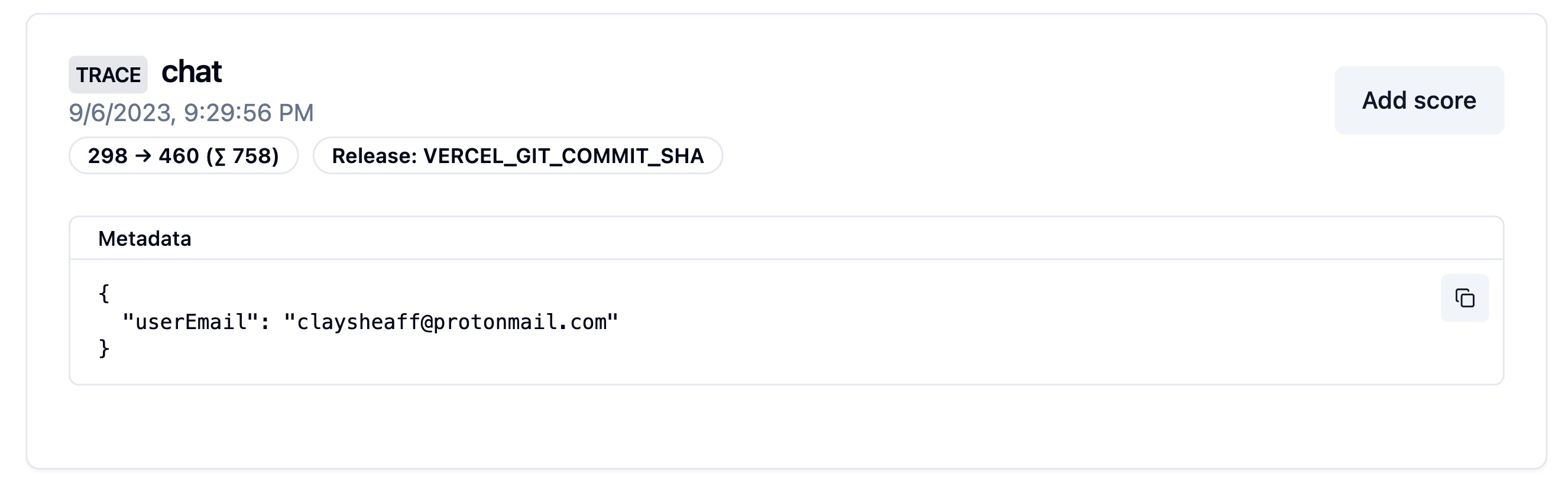
Both values appear on traces and observations in Langfuse. Filter by them to isolate a deployment or a component change, compare costs, latencies, and quality across them in [analytics](/docs/analytics), or use them to explain why a metric shifted after a change.
_Release in Langfuse interface_
_Version parameter in Langfuse interface_

## Set a release [#set-a-release]
The SDKs look for a `release` in the following order:
1. SDK initialization
2. Environment variable
3. Automatically set release identifiers on popular deployment platforms
### Initialization
The Python SDK allows you to set the release when initializing the client:
```python
from langfuse import Langfuse
# Set the release when initializing the client
langfuse = Langfuse(release="v2.1.24")
```
The JS/TS SDK will look for a `LANGFUSE_RELEASE` environment variable. Use it to configure the release e.g. in your CI/CD pipeline.
```bash
LANGFUSE_RELEASE = "" # <- github sha or other identifier
```
The SDKs will look for a `LANGFUSE_RELEASE` environment variable. Use it to configure the release e.g. in your CI/CD pipeline.
```bash
LANGFUSE_RELEASE = "" # <- github sha or other identifier
```
**Automatically on popular platforms**
If no other `release` is set, the Langfuse SDKs default to a set of known release environment variables.
Supported platforms include: Vercel, Heroku, Netlify. See the full list of support environment variables for [JS/TS](https://github.com/langfuse/langfuse-js/blob/v3-stable/langfuse-core/src/release-env.ts) and [Python](https://github.com/langfuse/langfuse-python/blob/main/langfuse/_utils/environment.py).
## Set a version [#set-a-version]
**Set Version on all observations within a context:**
```python /propagate_attributes(version="1.0")/
from langfuse import observe, propagate_attributes
@observe()
def process_data():
# Propagate version to all child observations
with propagate_attributes(version="1.0"):
# All nested operations automatically inherit version
result = perform_processing()
return result
```
When creating observations directly:
```python /propagate_attributes(version="1.0")/
from langfuse import get_client, propagate_attributes
langfuse = get_client()
with langfuse.start_as_current_observation(as_type="span", name="process-data") as span:
# Propagate version to all child observations
with propagate_attributes(version="1.0"):
# All observations created here automatically have version="1.0"
with span.start_as_current_observation(
as_type="generation",
name="guess-countries",
model="gpt-4o"
) as generation:
# This generation automatically has version="1.0"
pass
```
**Version on a specific observation:**
```python
from langfuse import get_client
langfuse = get_client()
with langfuse.start_as_current_observation(as_type="span", name="process-data", version="1.0") as span:
# This span has version="1.0"
pass
```
**Propagating version to all observations within a context:**
```ts /propagateAttributes/
import { startActiveObservation, propagateAttributes } from "@langfuse/tracing";
await startActiveObservation("process-data", async (span) => {
// Propagate version to all child observations
await propagateAttributes(
{
version: "1.0",
},
async () => {
// All observations created here automatically have version="1.0"
const generation = startObservation(
"guess-countries",
{ model: "gpt-4" },
{ asType: "generation" }
);
// This generation automatically has version="1.0"
generation.end();
}
);
});
```
**Version on a specific observation:**
```ts
import { startObservation } from "@langfuse/tracing";
const generation = startObservation(
"guess-countries",
{ model: "gpt-4" },
{ asType: "generation" }
);
generation.update({ version: "1.0" });
generation.end();
```
```python /version="1.0"/
from langfuse import propagate_attributes
from langfuse.langchain import CallbackHandler
handler = CallbackHandler()
# Propagate version to all observations created within the scope
with propagate_attributes(version="1.0"):
chain.invoke({"input": ""}, config={"callbacks": [handler]})
```
```ts /version: "1.0"/
import { CallbackHandler } from "@langfuse/langchain";
const handler = new CallbackHandler({
version: "1.0",
});
```
## Related resources [#related-resources]
- To A/B test prompt versions in production, see [A/B Testing](/docs/prompt-management/features/a-b-testing).
- To benchmark application changes on datasets, see [Datasets](/docs/evaluation/experiments/datasets) and [Experiments via UI](/docs/evaluation/experiments/experiments-via-ui).
- To compare costs, latencies, and quality by release or version, see [Metrics](/docs/metrics/overview) and [Custom Dashboards](/docs/metrics/features/custom-dashboards).
---
## Agent Instructions
This page is part of the [Langfuse](https://langfuse.com) documentation, published as plain Markdown for AI agents. Every page is available as Markdown by appending `.md` to its URL, or by sending an `Accept: text/markdown` header. This page: `https://langfuse.com/docs/observability/features/releases-and-versioning.md`.
### Querying these docs
If the answer is not on this page, query the documentation instead of guessing:
- **Semantic search** across all Langfuse docs, returning an answer with the relevant pages and excerpts. Ask a specific, self-contained question:
```bash
curl -sG "https://langfuse.com/api/search-docs" --data-urlencode "query=How do I trace a LangGraph agent?"
```
- **Index of every page**: , with per-section indexes [llms-docs.txt](https://langfuse.com/llms-docs.txt), [llms-integrations.txt](https://langfuse.com/llms-integrations.txt), and [llms-self-hosting.txt](https://langfuse.com/llms-self-hosting.txt).
### Before writing Langfuse code
- **Install the [Langfuse Agent Skill](https://langfuse.com/docs/api-and-data-platform/features/agent-skill).** It encodes Langfuse's own best practices for instrumentation, prompt management, and evaluation, and materially improves results.
- **Read [What does a good trace look like?](https://langfuse.com/docs/observability/best-practices.md)** before instrumenting an application.
- **Verify endpoints, parameters, and response fields** against the [API reference](https://api.reference.langfuse.com) instead of inferring them from code examples.
- **Use the [Langfuse CLI](https://langfuse.com/docs/api-and-data-platform/features/cli)** (`npx langfuse-cli api `) to read or write traces, prompts, datasets, and scores from the terminal.
Found an error in these docs? Please open an issue at .