---
title: User Feedback
description: Collect user feedback on LLM or agent outputs to improve model performance and user satisfaction.
sidebarTitle: User Feedback
---
# User Feedback
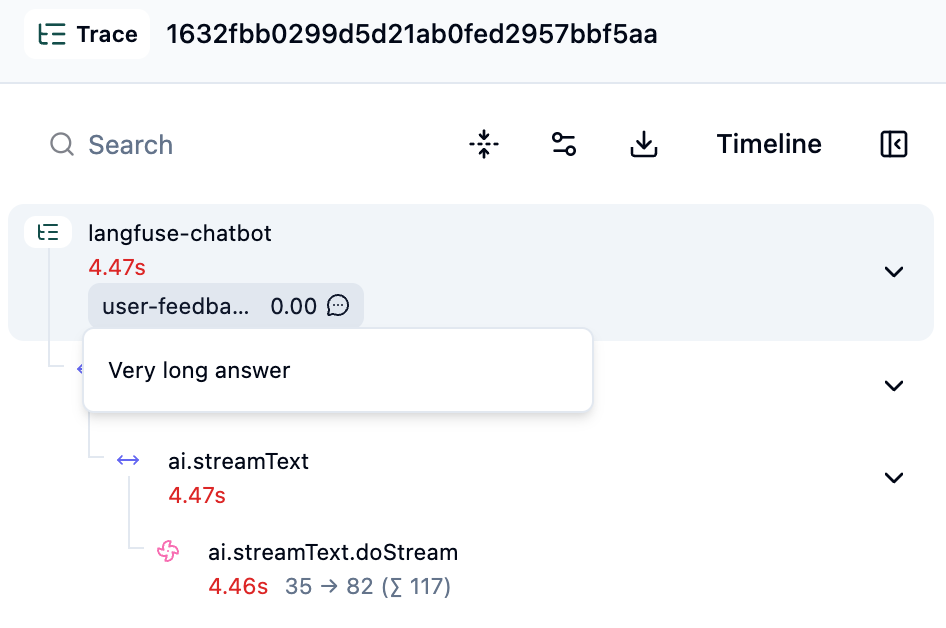
User feedback measures whether your AI actually helped users. Use it to find quality issues, build better evaluation datasets, and prioritize improvements based on real user experiences. In Langfuse, feedback is captured as [scores](/docs/scores) and linked to traces.
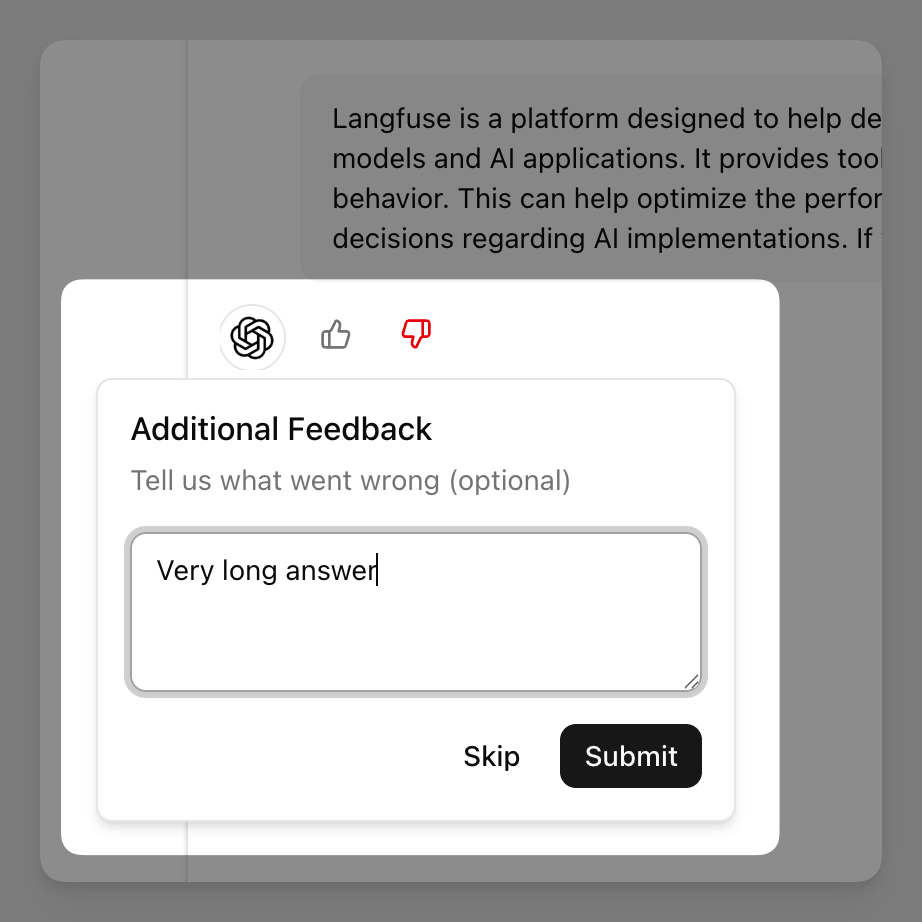
## Feedback Types
### Explicit Feedback
Users directly rate responses through thumbs up/down, star ratings, or comments.
| Pros | Cons |
|------|------|
| Clear signal about satisfaction | Low response rates |
| Simple to implement | Unhappy users more likely to respond |
| Easy to act on | Requires user action |
### Implicit Feedback
Derived from user behavior like time spent reading, copying output, accepting suggestions, or retrying queries.
| Pros | Cons |
| -------------------------------- | ----------------------- |
| High volume on every interaction | Harder to implement |
| No user effort required | Ambiguous signals |
| Reflects actual usage | Requires interpretation |
Both work as [scores](/docs/evaluation/core-concepts) in Langfuse. Filter traces by score, build [annotation queues](/docs/evaluation/evaluation-methods/annotation-queues), or use feedback as ground truth for automated evaluations.
## Quick Start
This example shows how to collect explicit user feedback from a chatbot built with Next.js and AI SDK. You can find the full implementation in the [Langfuse Example](https://github.com/langfuse/langfuse-examples/tree/main/applications/user-feedback) repository.
### 1. Return trace ID to frontend
Your backend sends the trace ID so frontend can link feedback to the trace.
```typescript
// app/api/chat/route.ts
import { getActiveTraceId } from "@langfuse/tracing";
export const POST = observe(async (req: Request) => {
const result = streamText({
model: openai('gpt-4o-mini'),
messages: convertToModelMessages(messages),
});
return result.toUIMessageStreamResponse({
generateMessageId: () => getActiveTraceId() || "",
});
});
```
### 2. Collect feedback in frontend
Use the Langfuse Browser SDK to send feedback as a score. The browser SDK only requires your public key; never expose a Langfuse secret key in frontend code.
```typescript
import { LangfuseBrowserClient } from "@langfuse/browser";
const langfuse = new LangfuseBrowserClient({
publicKey: process.env.NEXT_PUBLIC_LANGFUSE_PUBLIC_KEY!,
baseUrl: process.env.NEXT_PUBLIC_LANGFUSE_BASE_URL,
});
function FeedbackButtons({ messageId }: { messageId: string }) {
const handleFeedback = async (value: number, comment?: string) => {
await langfuse.score({
traceId: messageId,
id: `user-feedback-${messageId}`,
name: "user-feedback",
value: value, // 1 for positive, 0 for negative
dataType: "BOOLEAN",
comment: comment,
});
};
return (
);
}
```
### 3. View feedback in Langfuse
Feedback appears as scores on traces. You can filter by `user-feedback < 1` to find low-rated responses.

## Server-side Feedback
Record feedback from your backend when needed, such as after a user survey or follow-up interaction. You could also use this to log implicit feedback signals such as ticket closures or successful task completions.
```python
from langfuse import get_client
langfuse = get_client()
# Check if customer support ticket was resolved successfully
ticket_status = checkIfTicketClosed(ticket_id="ticket-456")
if ticket_status.is_closed:
langfuse.create_score(
trace_id=ticket_status.trace_id,
name="ticket-resolution",
value=1,
comment=f"Ticket closed successfully after {ticket_status.resolution_time}"
)
else:
langfuse.create_score(
trace_id=ticket_status.trace_id,
name="ticket-resolution",
value=0,
comment=f"Ticket escalated to human agent"
)
```
## Implicit Feedback with LLM-as-a-Judge
Automatically evaluate every response for qualities like user sentiment, satisfaction, or engagement using LLMs as judges. This lets you gather large-scale feedback without user intervention.
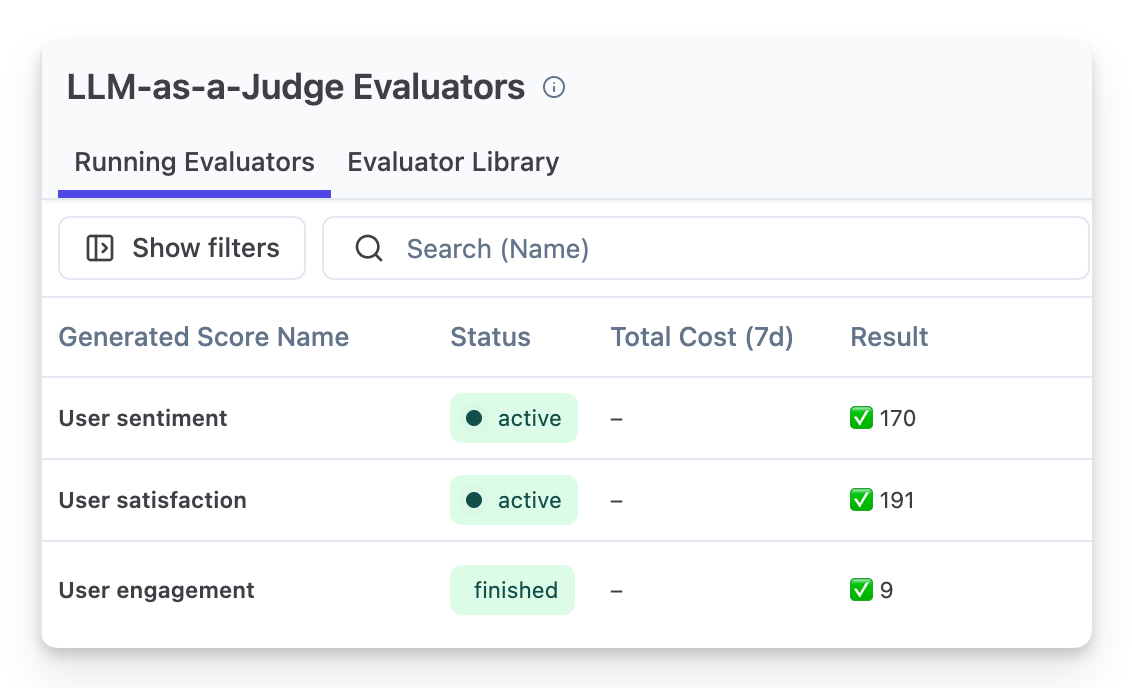
See [LLM-as-a-Judge Evaluators](/docs/evaluation/evaluation-methods/llm-as-a-judge) for implementation patterns and examples.
## Example App
The [user-feedback example](https://github.com/langfuse/langfuse-examples/tree/main/applications/user-feedback) shows a complete Next.js implementation with:
- OpenTelemetry tracing
- Thumbs up/down with optional comments
- Session tracking across conversations
## Related
For an end-to-end walkthrough, from choosing signals to acting on them, see the guide on [how to set up a user feedback loop](/guides/user-feedback-loop). To turn collected feedback into regression tests and judge calibration data, see [how to turn user feedback into evaluation datasets](/resources/engineering/user-feedback-to-evaluation-datasets).
---
## Agent Instructions
This page is part of the [Langfuse](https://langfuse.com) documentation, published as plain Markdown for AI agents. Every page is available as Markdown by appending `.md` to its URL, or by sending an `Accept: text/markdown` header. This page: `https://langfuse.com/docs/observability/features/user-feedback.md`.
### Querying these docs
If the answer is not on this page, query the documentation instead of guessing:
- **Semantic search** across all Langfuse docs, returning an answer with the relevant pages and excerpts. Ask a specific, self-contained question:
```bash
curl -sG "https://langfuse.com/api/search-docs" --data-urlencode "query=How do I trace a LangGraph agent?"
```
- **Index of every page**: , with per-section indexes [llms-docs.txt](https://langfuse.com/llms-docs.txt), [llms-integrations.txt](https://langfuse.com/llms-integrations.txt), and [llms-self-hosting.txt](https://langfuse.com/llms-self-hosting.txt).
### Before writing Langfuse code
- **Install the [Langfuse Agent Skill](https://langfuse.com/docs/api-and-data-platform/features/agent-skill).** It encodes Langfuse's own best practices for instrumentation, prompt management, and evaluation, and materially improves results.
- **Read [What does a good trace look like?](https://langfuse.com/docs/observability/best-practices.md)** before instrumenting an application.
- **Verify endpoints, parameters, and response fields** against the [API reference](https://api.reference.langfuse.com) instead of inferring them from code examples.
- **Use the [Langfuse CLI](https://langfuse.com/docs/api-and-data-platform/features/cli)** (`npx langfuse-cli api `) to read or write traces, prompts, datasets, and scores from the terminal.
Found an error in these docs? Please open an issue at .