---
title: Playground
description: Test, iterate, and compare different prompts and models within the LLM Playground.
sidebarTitle: Playground
---
# LLM Playground
Test and iterate on your prompts directly in the Langfuse Prompt Playground. Tweak the prompt and model parameters to see how different models respond to these input changes. This allows you to quickly iterate on your prompts and optimize them for the best results in your LLM app without having to switch between tools or use any code.
## Core features
### Side-by-Side Comparison View
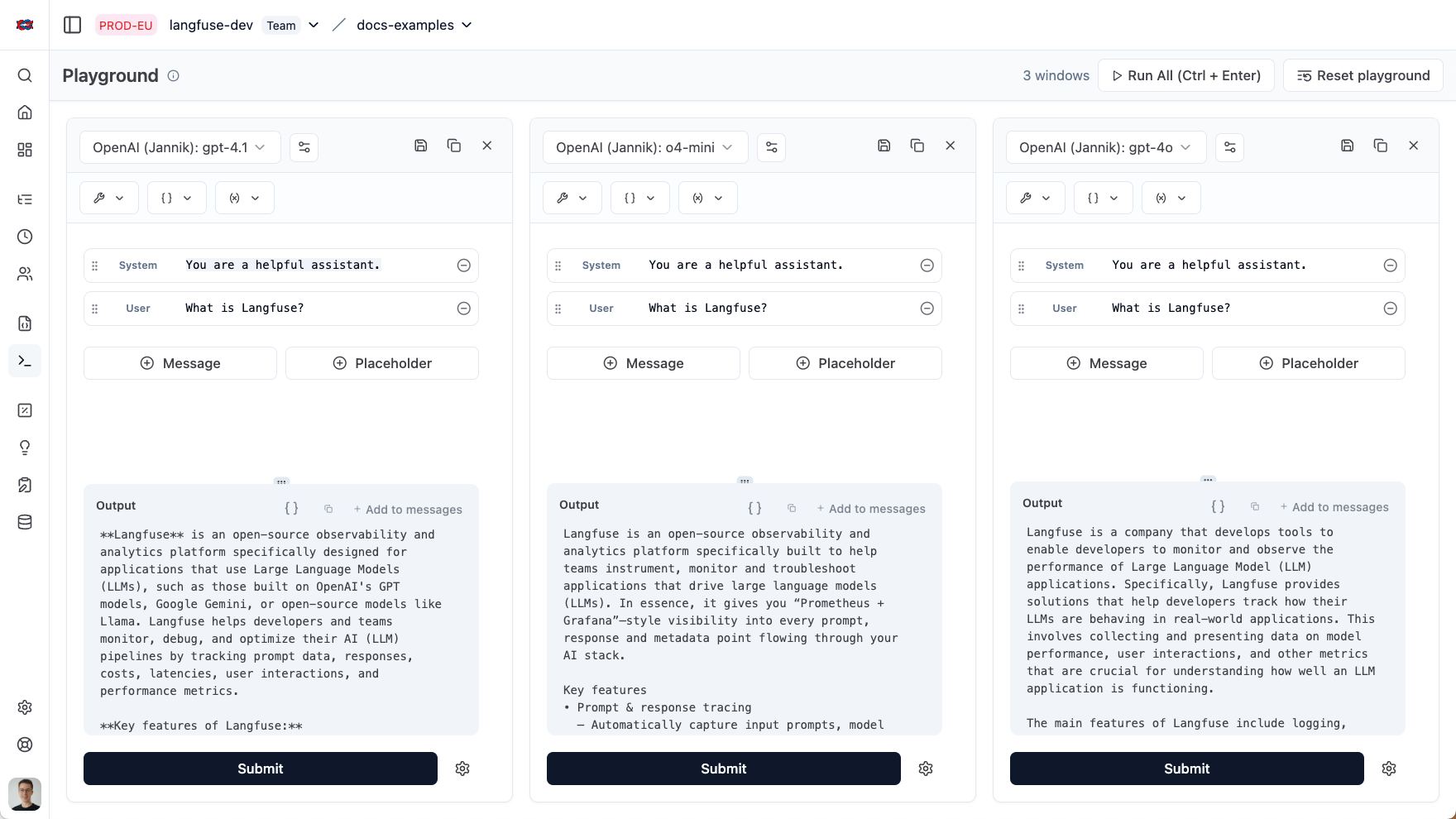
Compare multiple prompt variants alongside each other. Execute them all at once or focus on a single variant. Each variant keeps its own LLM settings, variables, tool definitions, and placeholders so you can immediately see the impact of every change.
### Open your prompt in the playground
You can open a prompt you created with [Langfuse Prompt Management](/docs/prompt-management/get-started) in the playground.
### Save your prompt to Prompt Management
When you're satisfied with your prompt, you can save it to Prompt Management by clicking the save button.
### Open a generation in the playground
You can open a generation from [Langfuse Observability](/docs/observability) in the playground by clicking the `Open in Playground` button in the generation details page.
### Tool calling and structured outputs
The Langfuse Playground supports tool calling and structured output schemas, enabling you to define, test, and validate LLM executions that rely on tool calls and enforce specific response formats.
Currently, Langfuse supports opening tool-type observations in the playground
only when they are in the OpenAI ChatML format. If you’d like to see support
for additional formats, feel free to add your request to our [public
roadmap](https://langfuse.com/ideas).
**Tool Calling**
- Define custom tools with JSON schema definitions
- Test prompts relying on tools in real-time by mocking tool responses
- Save tool definitions to your project
**Structured Output**
- Enforce response formats using JSON schemas
- Save schemas to your project
- Jump into the playground from your OpenAI generation using structured output
### Add prompt variables
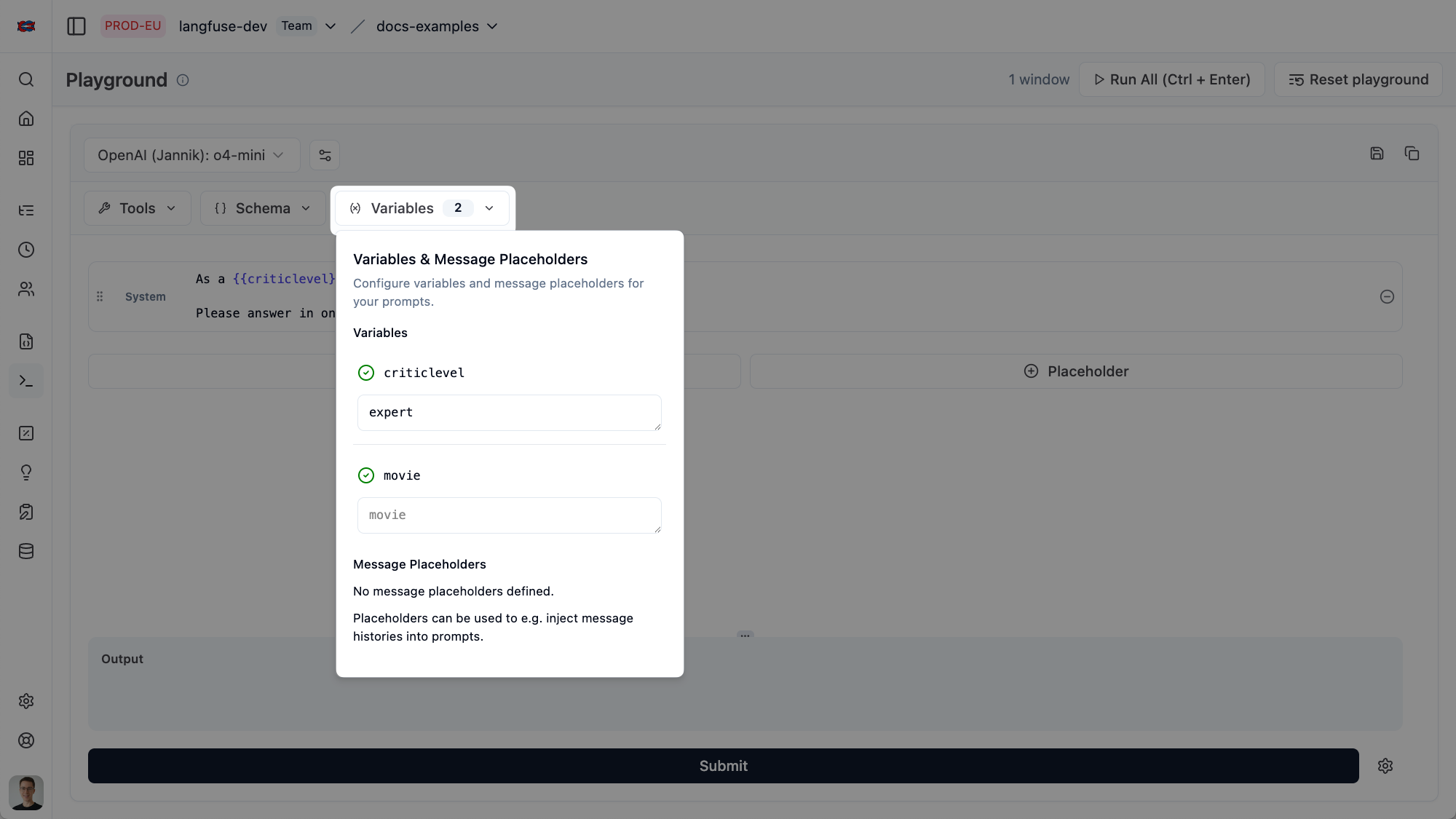
You can add prompt variables in the playground to simulate different inputs to your prompt.
### Use your favorite model
You can use your favorite model by adding the API key for the model you want to use in the Langfuse project settings. You can learn how to set up an LLM connection [here](/docs/administration/llm-connection).
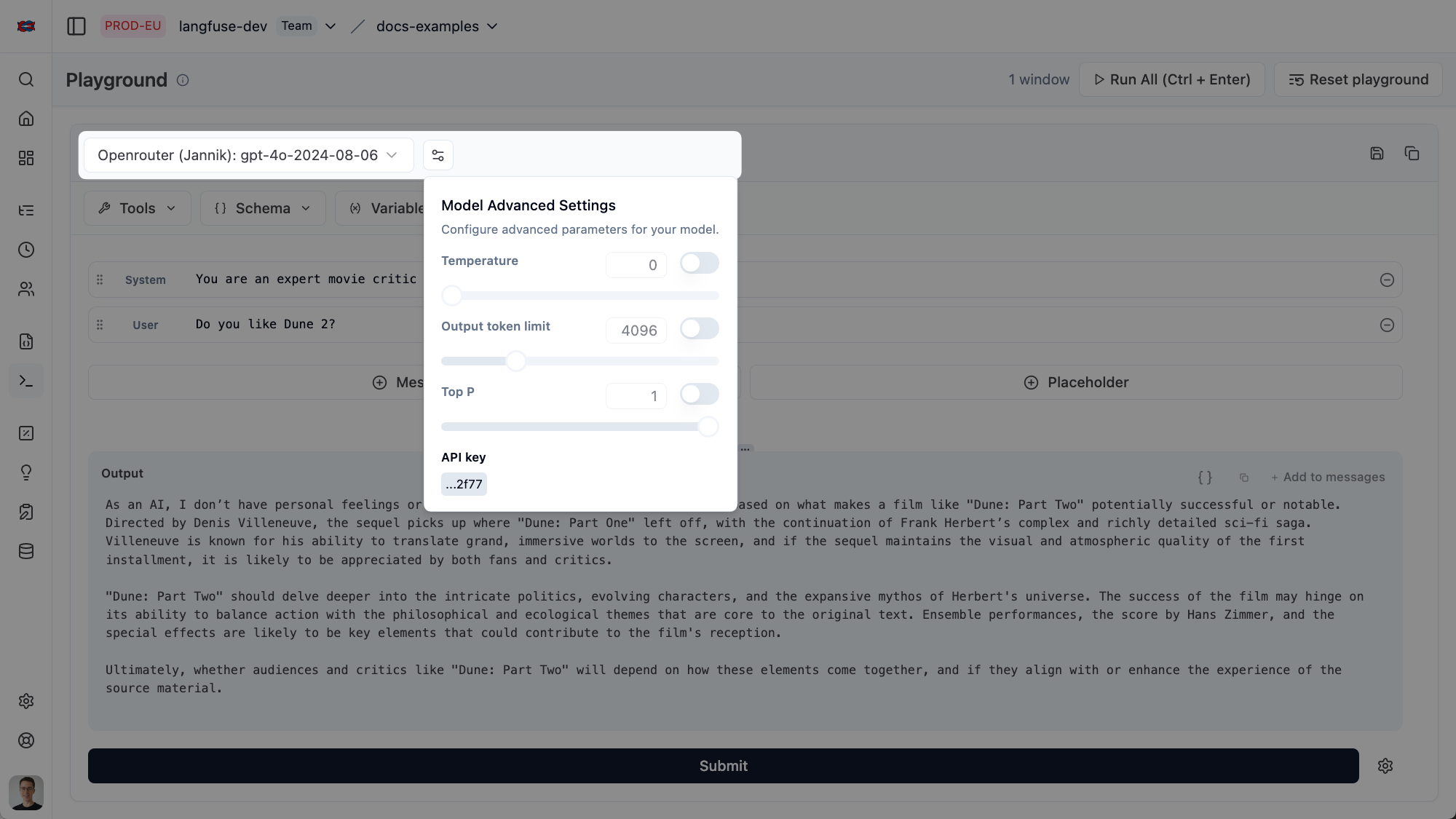
Optionally, many LLM providers allow for additional parameters when invoking a model. You can pass these parameters in the playground when toggling "Additional Options" in the model selection dropdown. [Read this documentation about additional provider options](/docs/administration/llm-connection#advanced-configurations) for more information.
## Related Resources
- For structured regression testing of prompt and model variants on datasets, use [Experiments](/docs/evaluation/core-concepts#experiments).
## GitHub Discussions
---
## Agent Instructions
This page is part of the [Langfuse](https://langfuse.com) documentation, published as plain Markdown for AI agents. Every page is available as Markdown by appending `.md` to its URL, or by sending an `Accept: text/markdown` header. This page: `https://langfuse.com/docs/prompt-management/features/playground.md`.
### Querying these docs
If the answer is not on this page, query the documentation instead of guessing:
- **Semantic search** across all Langfuse docs, returning an answer with the relevant pages and excerpts. Ask a specific, self-contained question:
```bash
curl -sG "https://langfuse.com/api/search-docs" --data-urlencode "query=How do I trace a LangGraph agent?"
```
- **Index of every page**: , with per-section indexes [llms-docs.txt](https://langfuse.com/llms-docs.txt), [llms-integrations.txt](https://langfuse.com/llms-integrations.txt), and [llms-self-hosting.txt](https://langfuse.com/llms-self-hosting.txt).
### Before writing Langfuse code
- **Install the [Langfuse Agent Skill](https://langfuse.com/docs/api-and-data-platform/features/agent-skill).** It encodes Langfuse's own best practices for instrumentation, prompt management, and evaluation, and materially improves results.
- **Read [What does a good trace look like?](https://langfuse.com/docs/observability/best-practices.md)** before instrumenting an application.
- **Verify endpoints, parameters, and response fields** against the [API reference](https://api.reference.langfuse.com) instead of inferring them from code examples.
- **Use the [Langfuse CLI](https://langfuse.com/docs/api-and-data-platform/features/cli)** (`npx langfuse-cli api `) to read or write traces, prompts, datasets, and scores from the terminal.
Found an error in these docs? Please open an issue at .