---
title: Webhooks
sidebarTitle: Webhooks
description: Use webhooks to receive real‑time notifications whenever a prompt version is created, updated, or deleted in Langfuse.
---
# Webhooks & Slack Integration
Use webhooks to receive real‑time notifications whenever a prompt version is created, updated, or deleted in Langfuse. This lets you trigger CI/CD pipelines, sync prompt catalogues, or audit changes without polling the API.
## Why use webhooks?
- **Production Monitoring**: Get alerted when production prompts are updated
- **Team Coordination**: Keep everyone informed about prompt changes
- **Syncing**: Sync prompt catalogues with other systems
## Get started
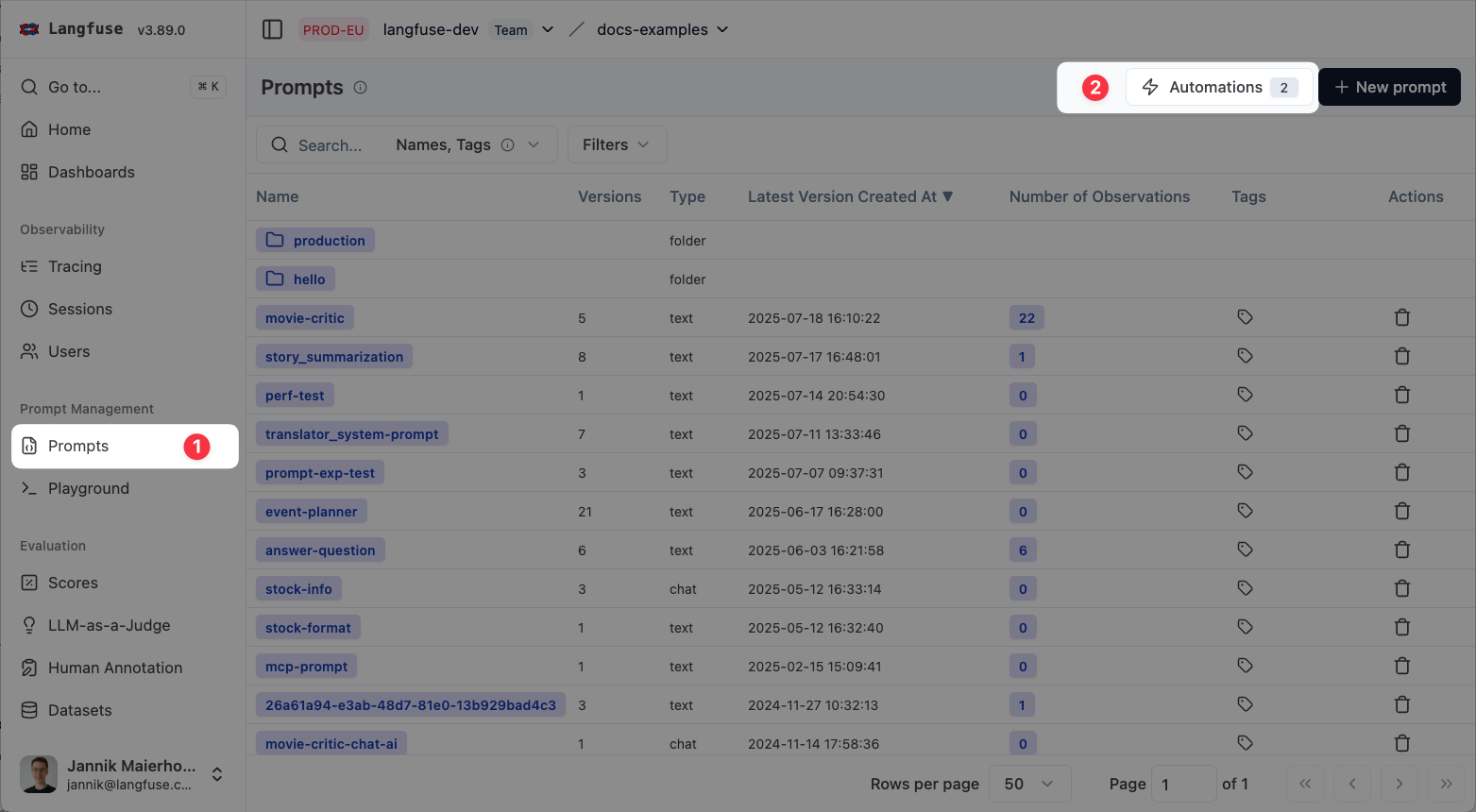
Navigate to `Prompts` and click on `Automations`.
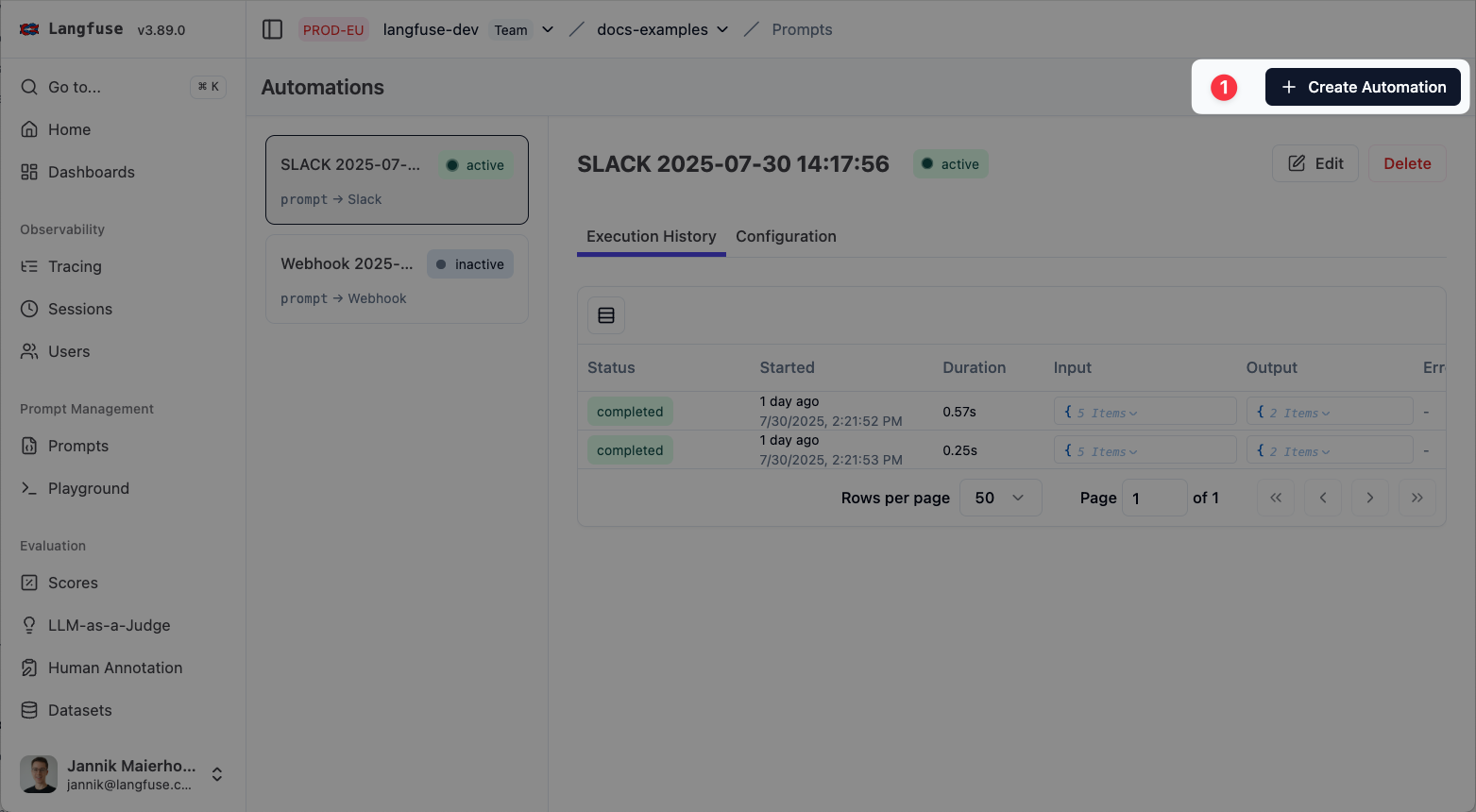
Click on `Create Automation`.
Select events to watch.
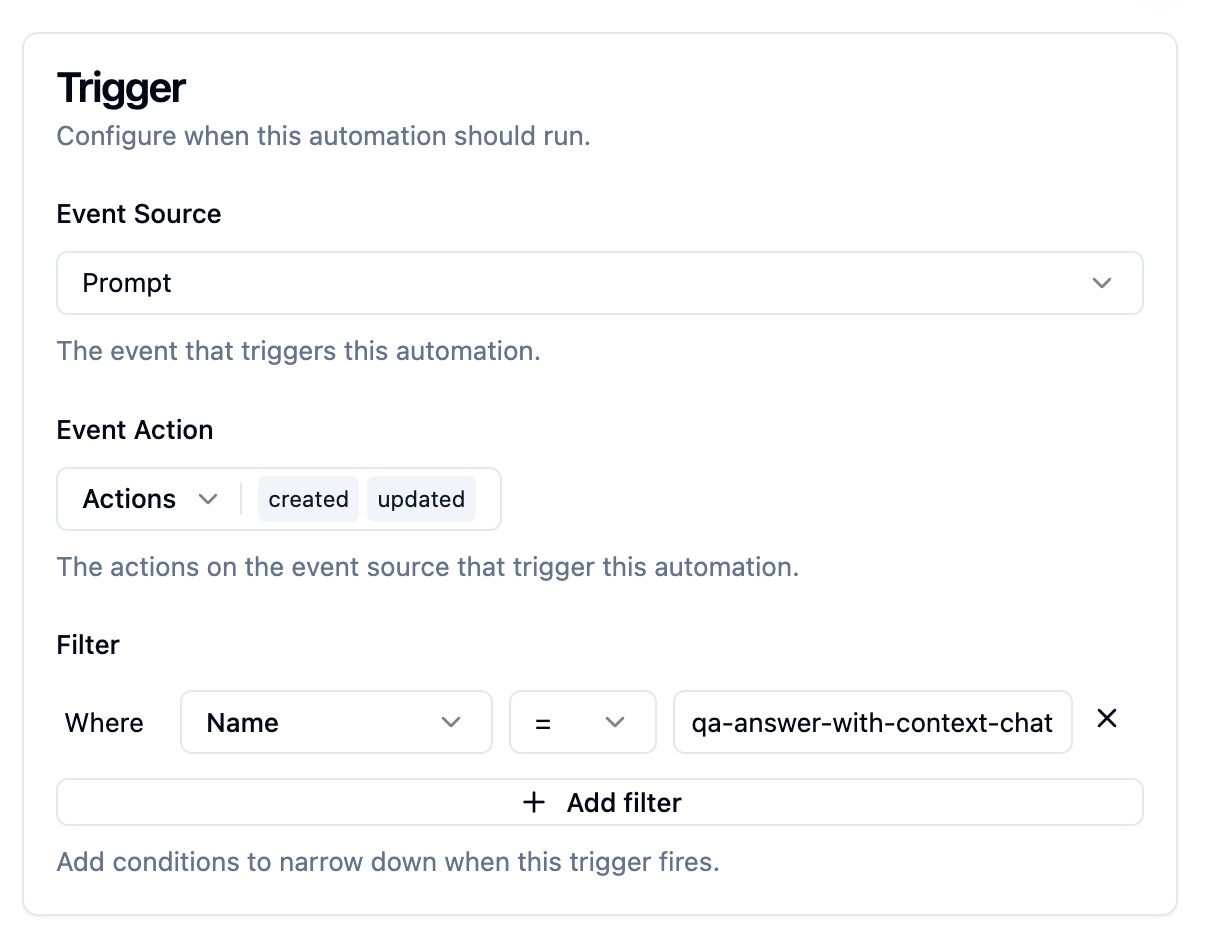
Choose the prompt‑version actions that should fire the webhook:
- **Created:** a new version is added.
- **Updated:** labels or tags change (two events fire: one for the version that gains a label/tag, one for the version that loses it).
- **Deleted:** a version is removed.
(Optional) filter to only trigger on specific prompts.
### Configure the request
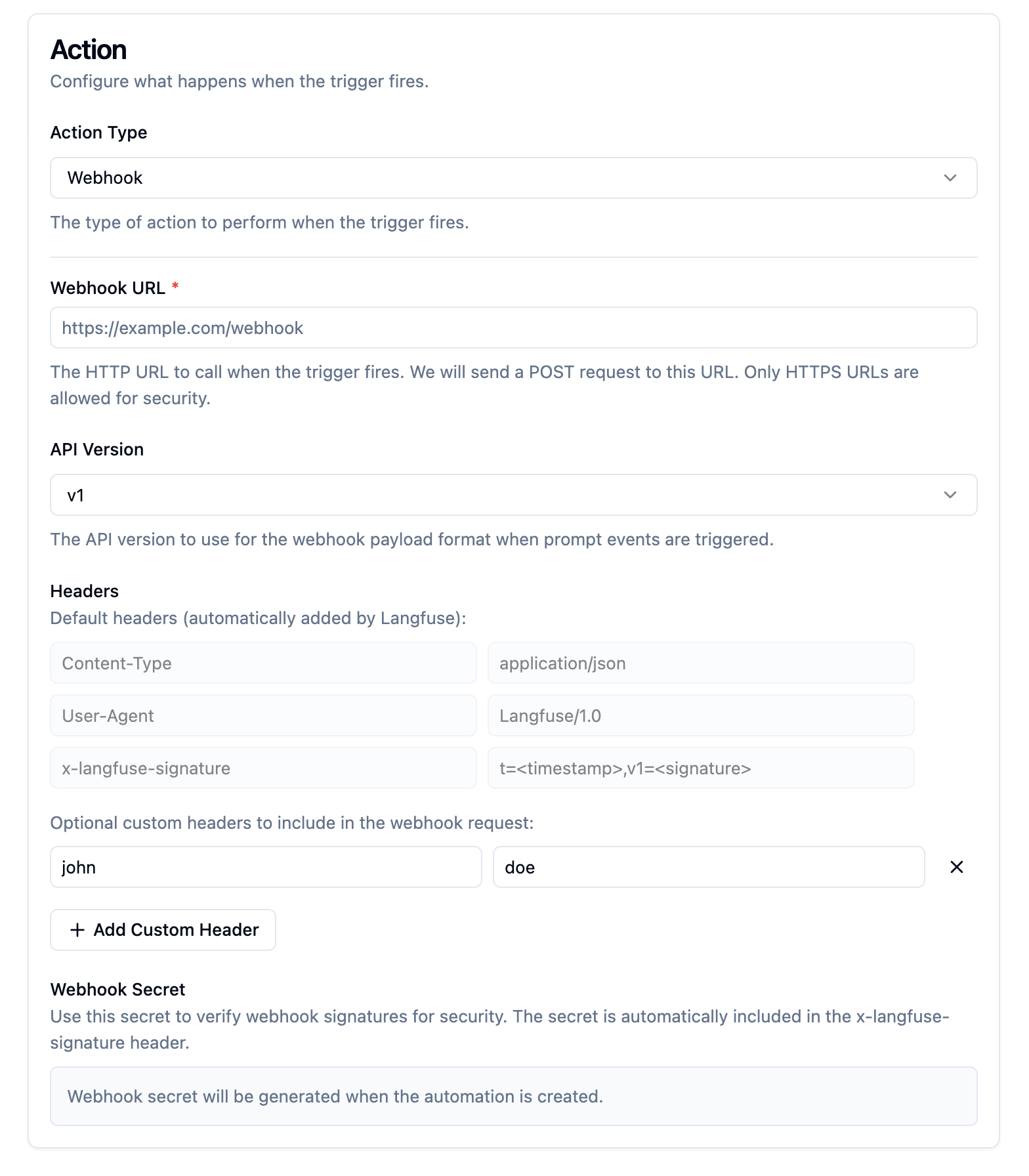
- **URL**: HTTPS endpoint that accepts POST requests.
- **Headers**: Default headers include:
- `Content-Type: application/json`
- `User-Agent: Langfuse/1.0`
- `x-langfuse-signature: t=,v1=` (see note on HMAC signature verification below)
- **Add custom static headers if required.**
### Inspect the payload
Your endpoint receives a JSON body like:
```json filename="webhook-payload.json"
{
"id": "550e8400-e29b-41d4-a716-446655440000",
"timestamp": "2024-07-10T10:30:00Z",
"type": "prompt-version",
"apiVersion": "v1",
"action": "created",
"prompt": {
"id": "prompt_abc123",
"name": "movie-critic",
"version": 3,
"projectId": "xyz789",
"labels": ["production", "latest"],
"prompt": "As a {{criticLevel}} movie critic, rate {{movie}} out of 10.",
"type": "text",
"config": { "key": "value" },
"commitMessage": "Improved critic persona",
"tags": ["entertainment"],
"createdAt": "2024-07-10T10:30:00Z",
"updatedAt": "2024-07-10T10:30:00Z"
}
}
```
### Acknowledge delivery
Your handler must:
- Return an HTTP 2xx status to confirm receipt.
- Be idempotent—Langfuse may retry (exponential back‑off) until it receives a success response.
### Verify authenticity (recommended)
Each request carries an HMAC SHA‑256 signature in `x-langfuse-signature`.
Retrieve the secret when you create the webhook (you can regenerate it later).
```python
import hmac
import hashlib
from typing import Optional
def verify_langfuse_signature(
raw_body: str,
signature_header: str,
secret: str,
) -> bool:
"""
Validate a Langfuse webhook/event signature.
Parameters
----------
raw_body : str
The request body exactly as received (no decoding or reformatting).
signature_header : str
The value of the `x-langfuse-signature` header, e.g. "t=1720701136,v1=0123abcd...".
secret : str
Your Langfuse signing secret.
Returns
-------
bool
True if the signature is valid, otherwise False.
"""
# Split "t=timestamp,v1=signature" into the two expected key/value chunks
try:
ts_pair, sig_pair = signature_header.split(",", 1)
except ValueError: # wrong format / missing comma
return False
# Extract values (everything after the first "=")
if "=" not in ts_pair or "=" not in sig_pair:
return False
timestamp = ts_pair.split("=", 1)[1]
received_sig_hex = sig_pair.split("=", 1)[1]
# Recreate the message and compute the expected HMAC-SHA256 hex digest
message = f"{timestamp}.{raw_body}".encode("utf-8")
expected_sig_hex = hmac.new(
secret.encode("utf-8"), message, hashlib.sha256
).hexdigest()
# Use constant-time comparison on the *decoded* byte strings
try:
return hmac.compare_digest(
bytes.fromhex(received_sig_hex), bytes.fromhex(expected_sig_hex)
)
except ValueError: # received_sig_hex isn't valid hex
return False
```
```ts
import crypto from "crypto";
export function verifyLangfuseSignature(
rawBody: string,
signatureHeader: string,
secret: string
): boolean {
const [tsPair, sigPair] = signatureHeader.split(",");
if (!tsPair || !sigPair) return false;
const timestamp = tsPair.split("=")[1];
const receivedSig = sigPair.split("=")[1];
const expectedSig = crypto
.createHmac("sha256", secret)
.update(`${timestamp}.${rawBody}`, "utf8")
.digest("hex");
return crypto.timingSafeEqual(
Buffer.from(receivedSig, "hex"),
Buffer.from(expectedSig, "hex")
);
}
```
### Authenticate Slack with Langfuse
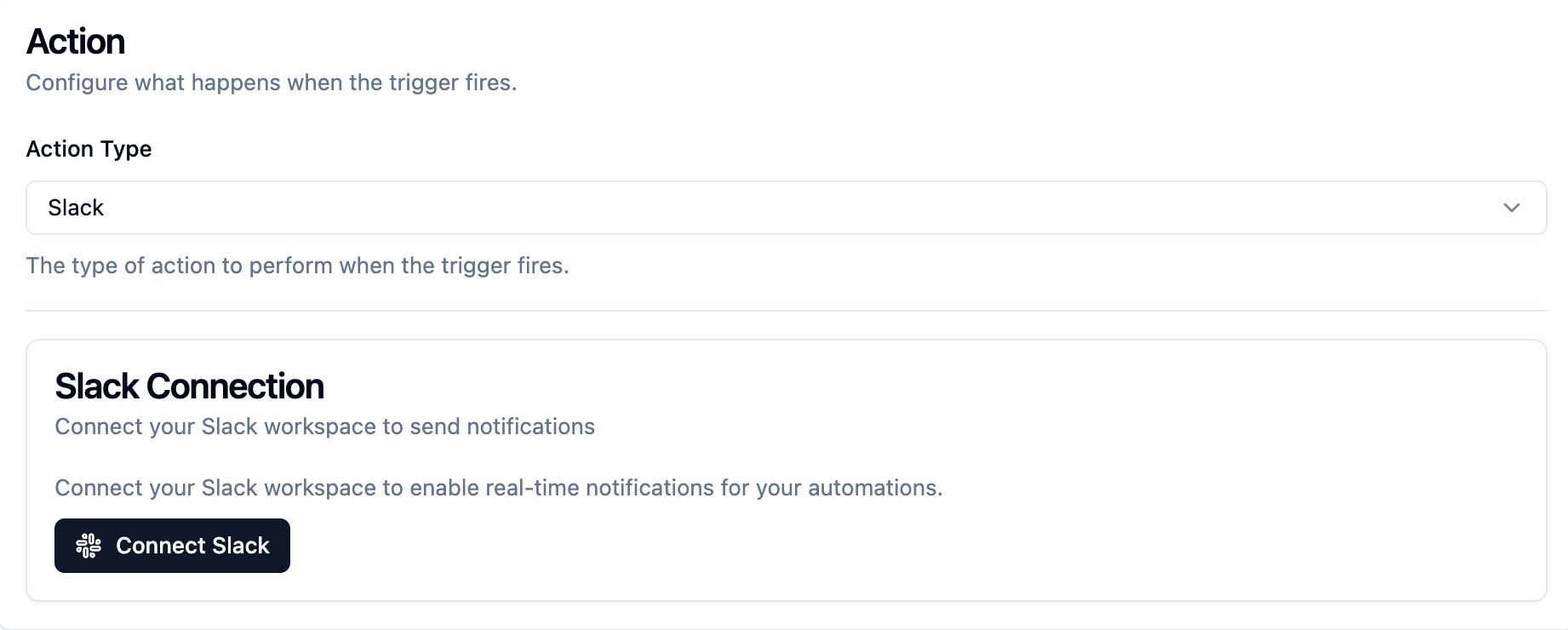
- Langfuse connects to Slack via OAuth.
- We store secrets to Slack encrypted in our database.
### Select channels to send notifications to
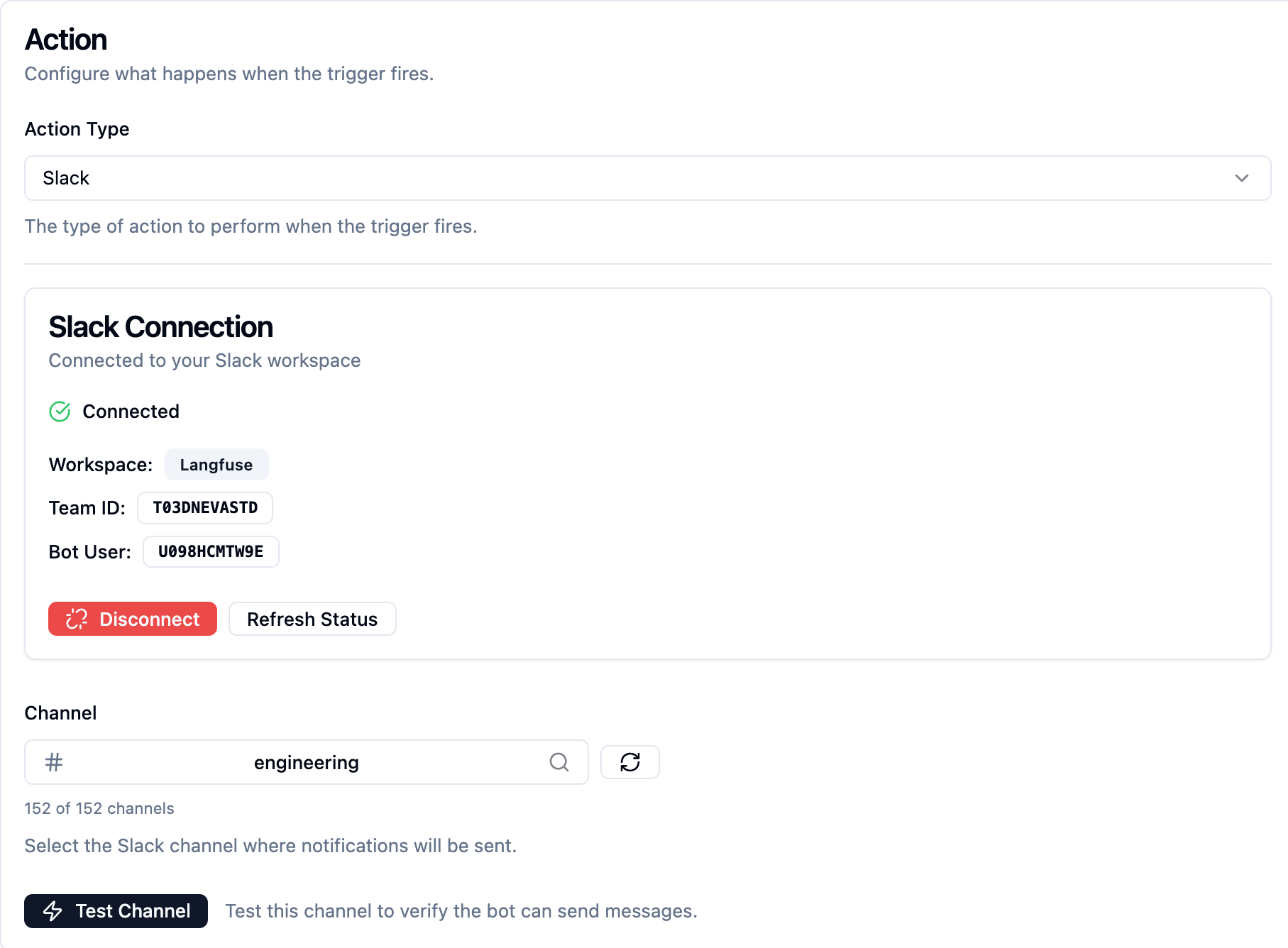
- You can select a channel where you want to send notifications.
- You can run a dry run to see that messages arrive in your channel.
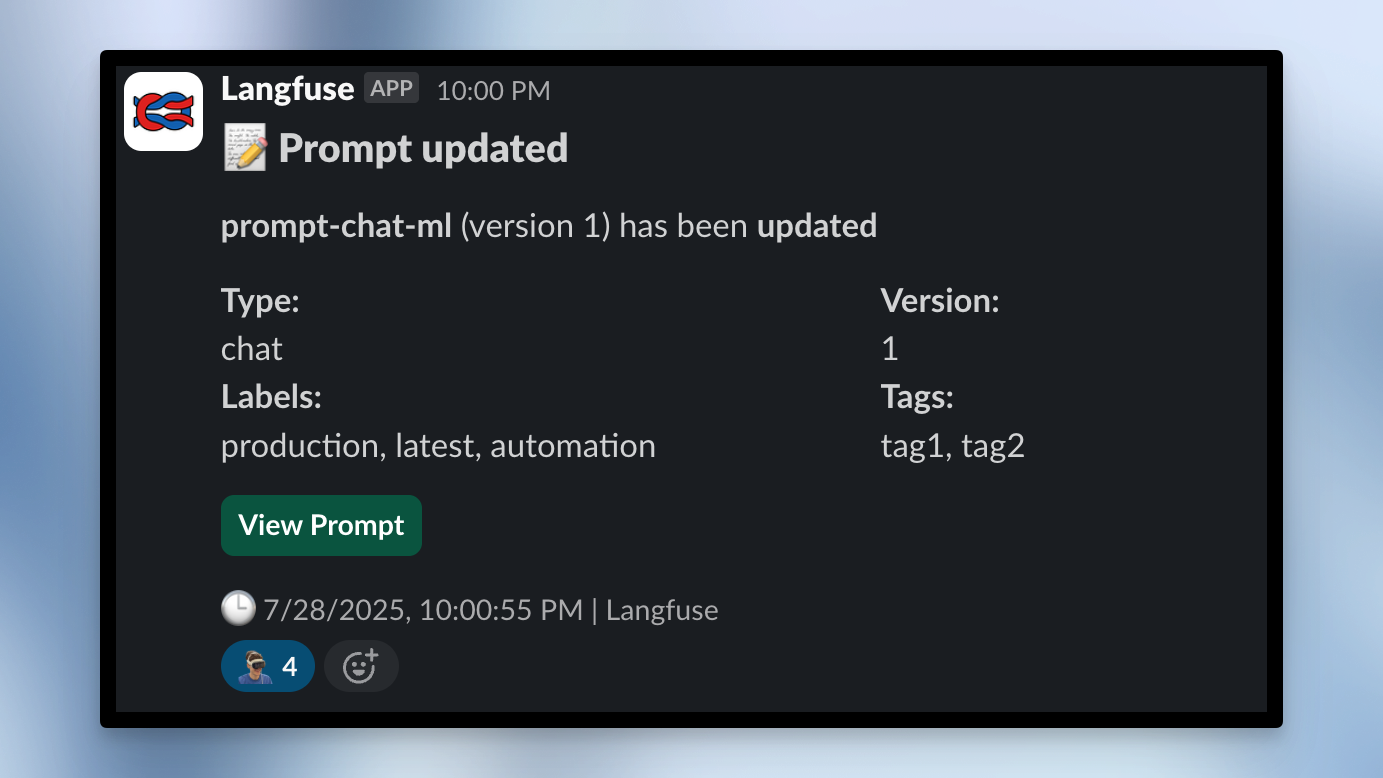
### See the message in Slack
---
## Agent Instructions
This page is part of the [Langfuse](https://langfuse.com) documentation, published as plain Markdown for AI agents. Every page is available as Markdown by appending `.md` to its URL, or by sending an `Accept: text/markdown` header. This page: `https://langfuse.com/docs/prompt-management/features/webhooks-slack-integrations.md`.
### Querying these docs
If the answer is not on this page, query the documentation instead of guessing:
- **Semantic search** across all Langfuse docs, returning an answer with the relevant pages and excerpts. Ask a specific, self-contained question:
```bash
curl -sG "https://langfuse.com/api/search-docs" --data-urlencode "query=How do I trace a LangGraph agent?"
```
- **Index of every page**: , with per-section indexes [llms-docs.txt](https://langfuse.com/llms-docs.txt), [llms-integrations.txt](https://langfuse.com/llms-integrations.txt), and [llms-self-hosting.txt](https://langfuse.com/llms-self-hosting.txt).
### Before writing Langfuse code
- **Install the [Langfuse Agent Skill](https://langfuse.com/docs/api-and-data-platform/features/agent-skill).** It encodes Langfuse's own best practices for instrumentation, prompt management, and evaluation, and materially improves results.
- **Read [What does a good trace look like?](https://langfuse.com/docs/observability/best-practices.md)** before instrumenting an application.
- **Verify endpoints, parameters, and response fields** against the [API reference](https://api.reference.langfuse.com) instead of inferring them from code examples.
- **Use the [Langfuse CLI](https://langfuse.com/docs/api-and-data-platform/features/cli)** (`npx langfuse-cli api `) to read or write traces, prompts, datasets, and scores from the terminal.
Found an error in these docs? Please open an issue at .