---
title: Observability and Tracing for LobeChat
description: "Monitor and trace your LobeChat conversations with Langfuse. Capture detailed traces, costs, and usage patterns for your open-source LLM chat platform."
sidebarTitle: LobeChat
logo: /images/integrations/lobechat_icon.png
---
# Langfuse Integration with LobeChat
## What is LobeChat?
[LobeChat](https://lobehub.com/) is an **[open-source](https://github.com/lobehub/lobe-chat) LLM chat platform** that seamlessly integrates with various AI models and tools, providing users with an intuitive interface to interact with advanced language technologies.
## What is Langfuse?
[Langfuse](https://langfuse.com/) is one of the most used **open-source LLM Observability platforms**. By enabling the Langfuse integration, you can trace your application data with Langfuse to develop, monitor, and improve the use of LobeChat, including:
- Application [traces](/docs/observability/overview)
- Usage patterns
- Cost data by user and model
- [Evaluations](/docs/evaluation/overview)
## Get Started
### Set up Langfuse
Get your Langfuse API key by signing up for [Langfuse Cloud](https://cloud.langfuse.com) or [self-hosting](/self-hosting) Langfuse.
### Set up LobeChat
There are multiple ways to [self-host LobeChat](https://lobehub.com/docs/self-hosting/start). For this example, we will use the Docker Desktop deployment.
Before deploying LobeChat, set the following four environment variables with the Langfuse API keys you created in the previous step.
```sh
ENABLE_LANGFUSE = '1'
LANGFUSE_SECRET_KEY = 'sk-lf...'
LANGFUSE_PUBLIC_KEY = 'pk-lf...'
LANGFUSE_HOST = 'https://cloud.langfuse.com'
```
Before running the Docker container, set the environment variables in the Docker Desktop with the Langfuse API keys you created in the previous step.

### Activate Analytics in Settings
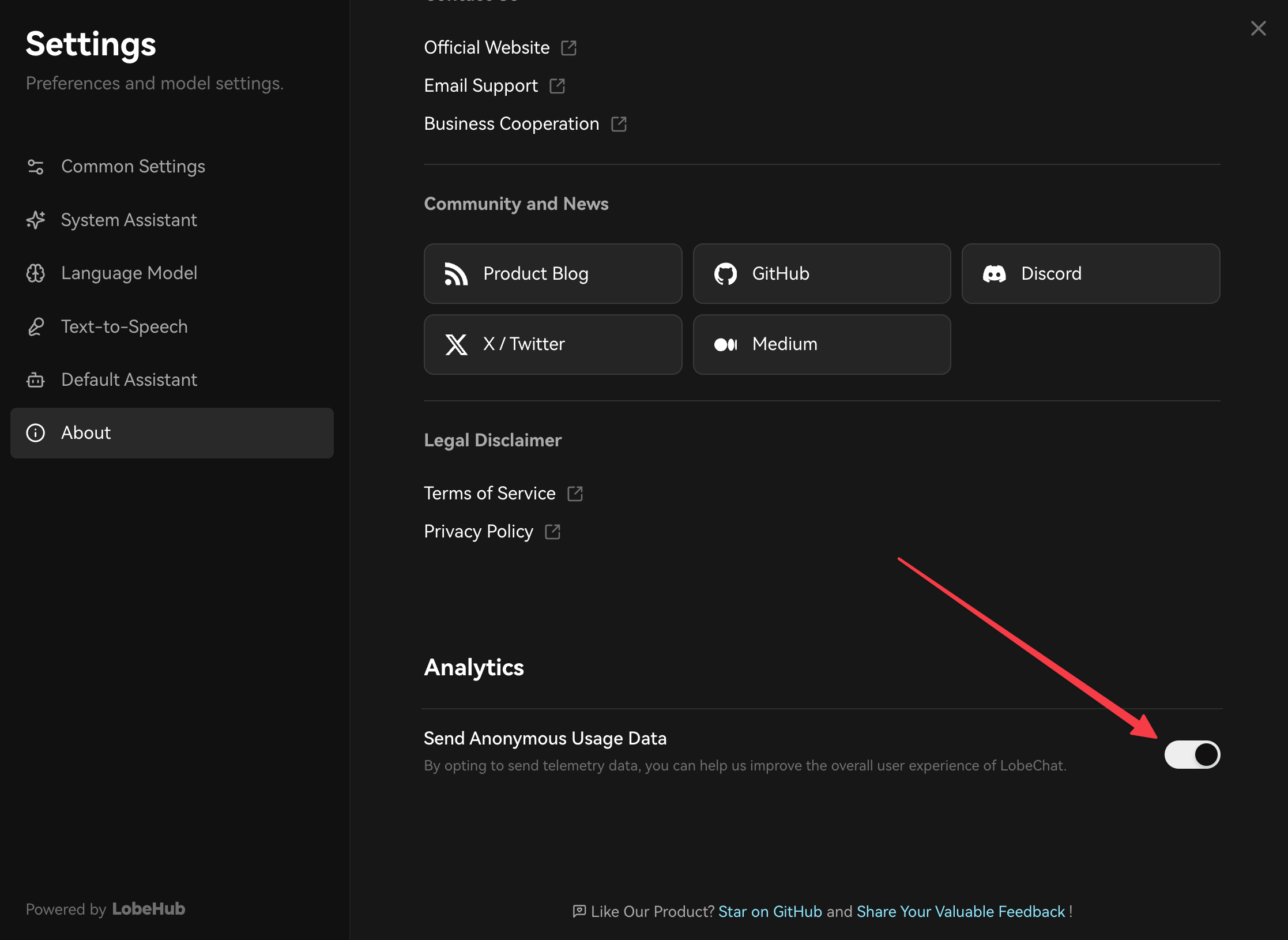
Once you have LobeChat running, navigate to the **About** tab in the **Settings** and activate analytics. This is necessary for traces to be sent to Langfuse.
### See your traces in Langfuse
After setting your LLM model key, you can start interacting with your LobeChat application.
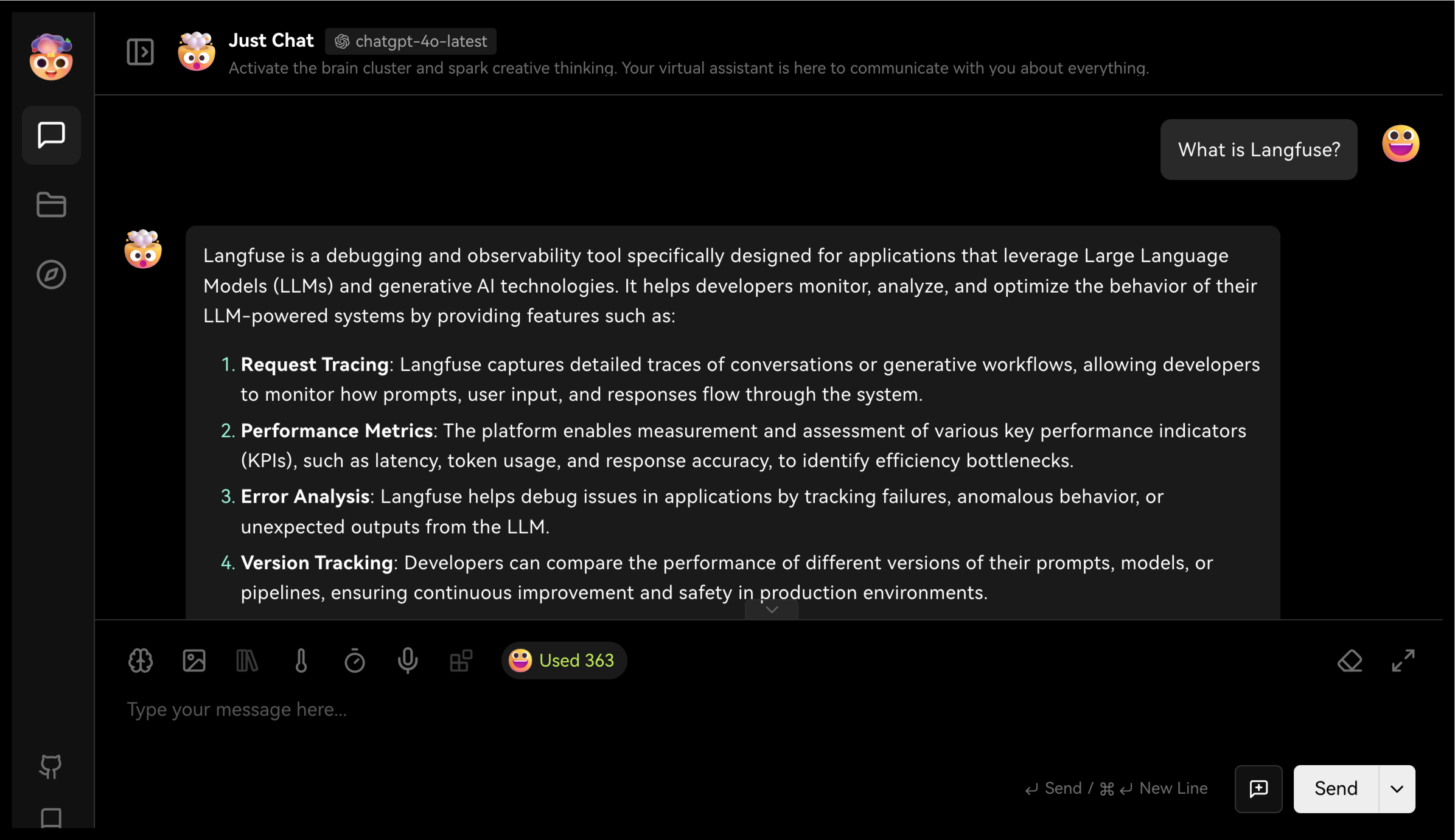
All conversations in the chat are automatically traced and sent to Langfuse. You can view the traces in the [Traces section](/docs/observability/overview) of the Langfuse platform.
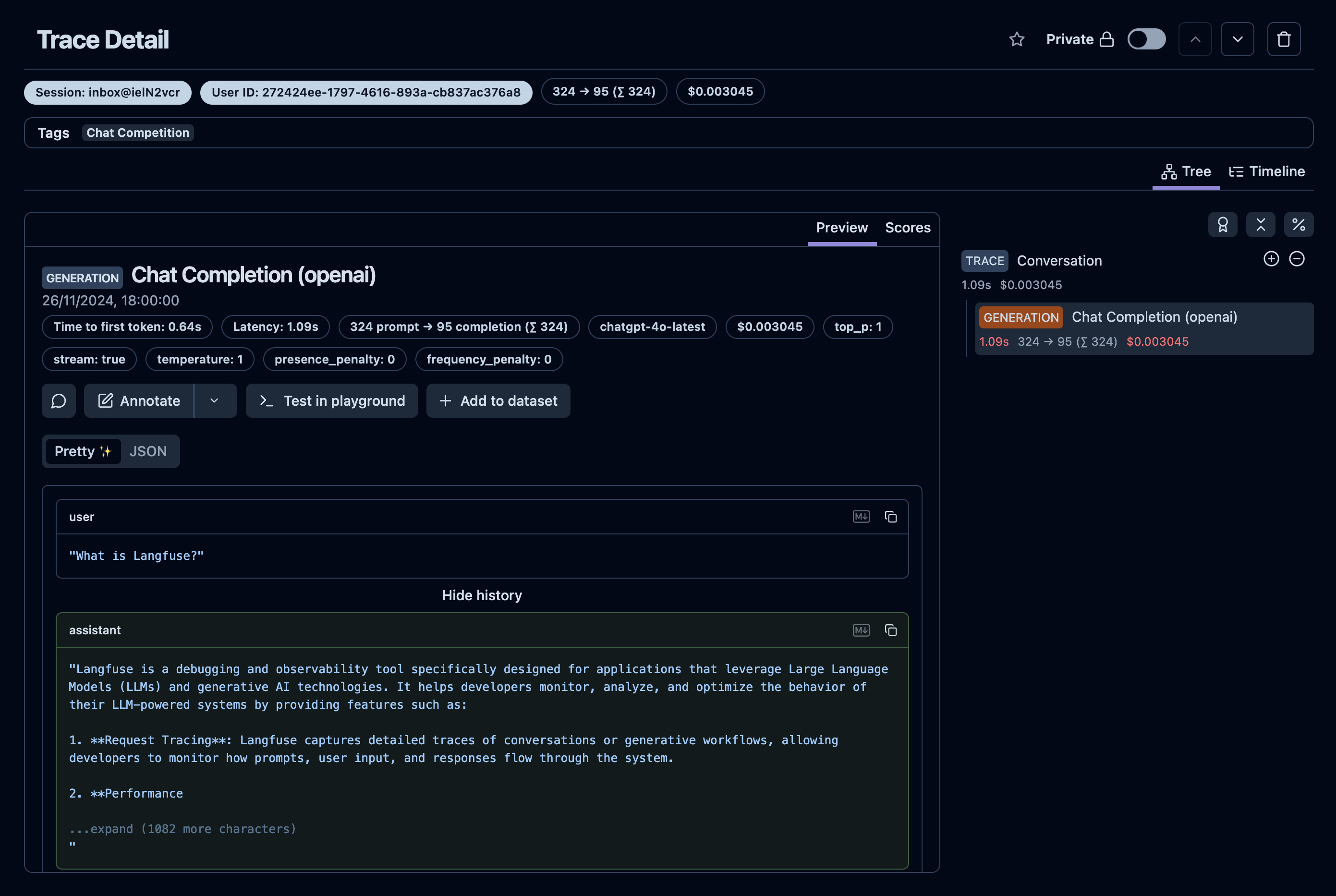
_[Example trace in the Langfuse UI](https://cloud.langfuse.com/project/cloramnkj0002jz088vzn1ja4/traces/63e9246d-3f22-4e45-936d-b0c4ccf55a1e?timestamp=2024-11-26T17%3A00%3A02.028Z&observation=7ea75a0c-d9d1-425c-9b88-27561c63b413)_
## Feedback
If you have any feedback or requests, please create a GitHub [Issue](/issue) or share your work with the community on [Discord](https://discord.langfuse.com/).
---
## Agent Instructions
This page is part of the [Langfuse](https://langfuse.com) documentation, published as plain Markdown for AI agents. Every page is available as Markdown by appending `.md` to its URL, or by sending an `Accept: text/markdown` header. This page: `https://langfuse.com/integrations/no-code/lobechat.md`.
### Querying these docs
If the answer is not on this page, query the documentation instead of guessing:
- **Semantic search** across all Langfuse docs, returning an answer with the relevant pages and excerpts. Ask a specific, self-contained question:
```bash
curl -sG "https://langfuse.com/api/search-docs" --data-urlencode "query=How do I trace a LangGraph agent?"
```
- **Index of every page**: , with per-section indexes [llms-docs.txt](https://langfuse.com/llms-docs.txt), [llms-integrations.txt](https://langfuse.com/llms-integrations.txt), and [llms-self-hosting.txt](https://langfuse.com/llms-self-hosting.txt).
### Before writing Langfuse code
- **Install the [Langfuse Agent Skill](https://langfuse.com/docs/api-and-data-platform/features/agent-skill).** It encodes Langfuse's own best practices for instrumentation, prompt management, and evaluation, and materially improves results.
- **Read [What does a good trace look like?](https://langfuse.com/docs/observability/best-practices.md)** before instrumenting an application.
- **Verify endpoints, parameters, and response fields** against the [API reference](https://api.reference.langfuse.com) instead of inferring them from code examples.
- **Use the [Langfuse CLI](https://langfuse.com/docs/api-and-data-platform/features/cli)** (`npx langfuse-cli api `) to read or write traces, prompts, datasets, and scores from the terminal.
Found an error in these docs? Please open an issue at .