Evaluate Individual Operations: Faster, More Precise LLM-as-a-Judge
 Marlies
 Hassieb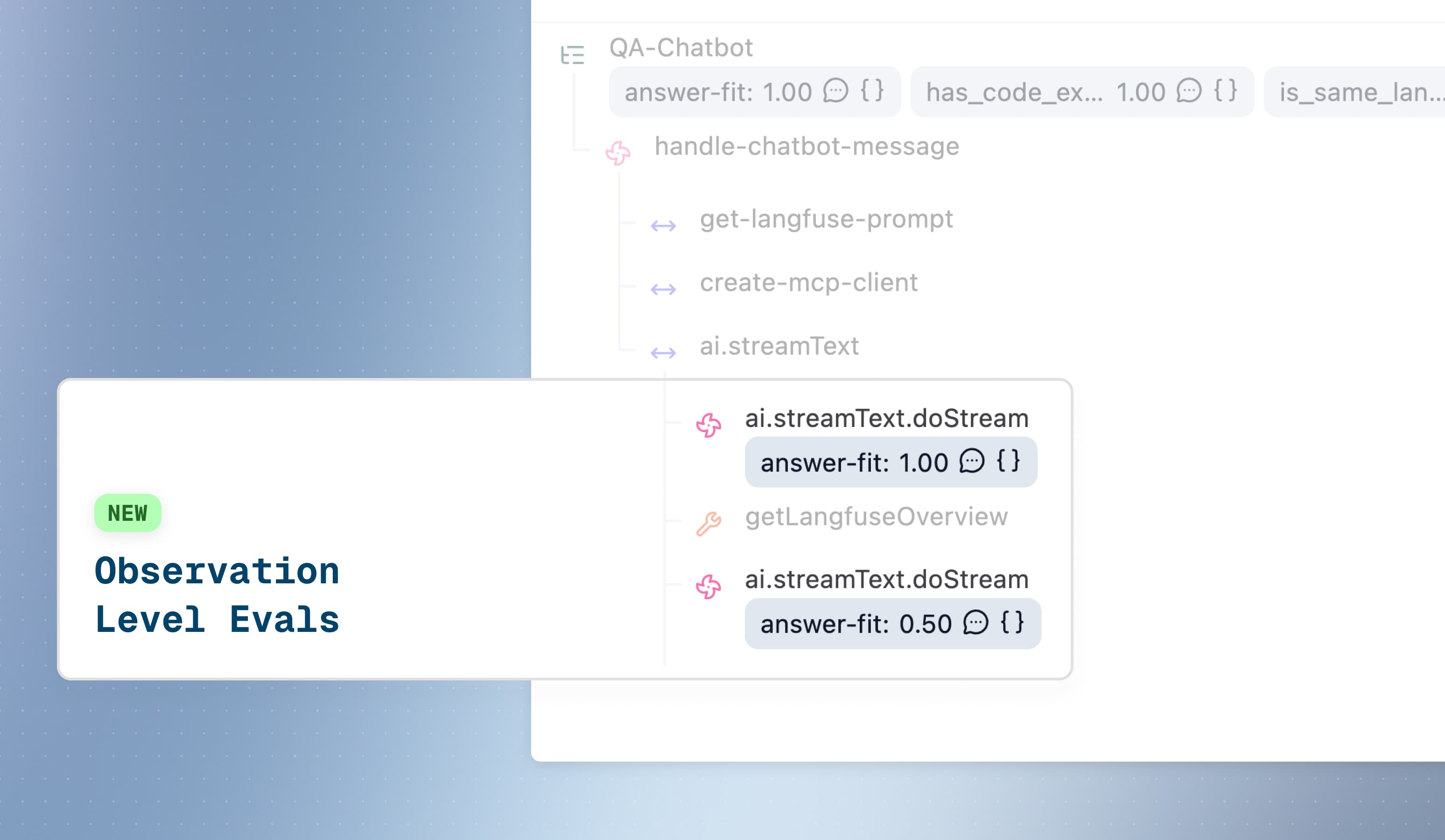
Observation-level evaluations enable precise operation-specific scoring for production monitoring.
LLM-as-a-Judge evaluations can now be run on individual observations—LLM calls, retrievals, tool executions, or any operation within your traces. Previously, evaluations could only be run on entire traces. This architectural shift delivers dramatically faster execution and operation-level precision for production monitoring.
Example: In a RAG pipeline with 10 operations (retrieval → reranking → generation → citation), evaluate only the final generation for helpfulness and the retrieval step for relevance—not the entire workflow. Each operation gets its own score.
Target: Individual observations
Filter: type = "GENERATION" AND name = "final-response"
Result: One score per matching observation
Speed: Seconds per evaluation
Scores attach to specific observations in the trace tree. Filter by observation type, name, metadata, or trace-level attributes to target exactly what matters. Run different evaluators on different operations simultaneously.

Why This Matters
Operation-level precision Evaluate only what matters. Target final LLM responses, retrieval steps, or specific tool calls—not entire workflows. Reduces evaluation volume and cost by filtering to specific operations.
Compositional evaluation Run different evaluators on different operations simultaneously. Toxicity on LLM outputs, relevance on retrievals, accuracy on generations—all within one trace. Stack observation filters (type, name, metadata) with trace attributes filters (userId, sessionId, tags).
Scalable architecture Built for high-volume workloads. At ingest time, observations are evaluated against filter criteria, added to an evaluation queue, and processed asynchronously. No joins, no complex queries—just fast, reliable evaluation at scale.
Getting Started
Navigate to your project → Evaluation → LLM-as-a-Judge → Set up Evaluator
- Select or create an evaluator template
- Choose "Live Observations" as your evaluation target
- Configure observation filters (type, name, metadata)
- Add trace-level filters (userId, sessionId, tags) if needed
- Map variables from observation fields (input, output, metadata)
- Set sampling percentage to manage evaluation costs
Follow the complete LLM-as-a-Judge setup guide for detailed configuration steps and examples.
Requirements
- SDK version: Python v3+ (OTel-based) or JS/TS v4+ (OTel-based)
- Trace attribute filtering: Use
propagate_attributes()in your instrumentation to filter observations by trace-level attributes (userId, sessionId, tags, metadata)
Existing trace-level evaluators continue to work on Langfuse Cloud until November 16, 2026 (2026-11-16); on self-hosted, they will stop producing results once you run the v4 server in events_only mode. For users with existing evaluations, see the upgrade guide to transition to observation-level for faster execution.