Langfuse MCP: now with Observations, Metrics, Scores, Comments and more
 Ben Bachem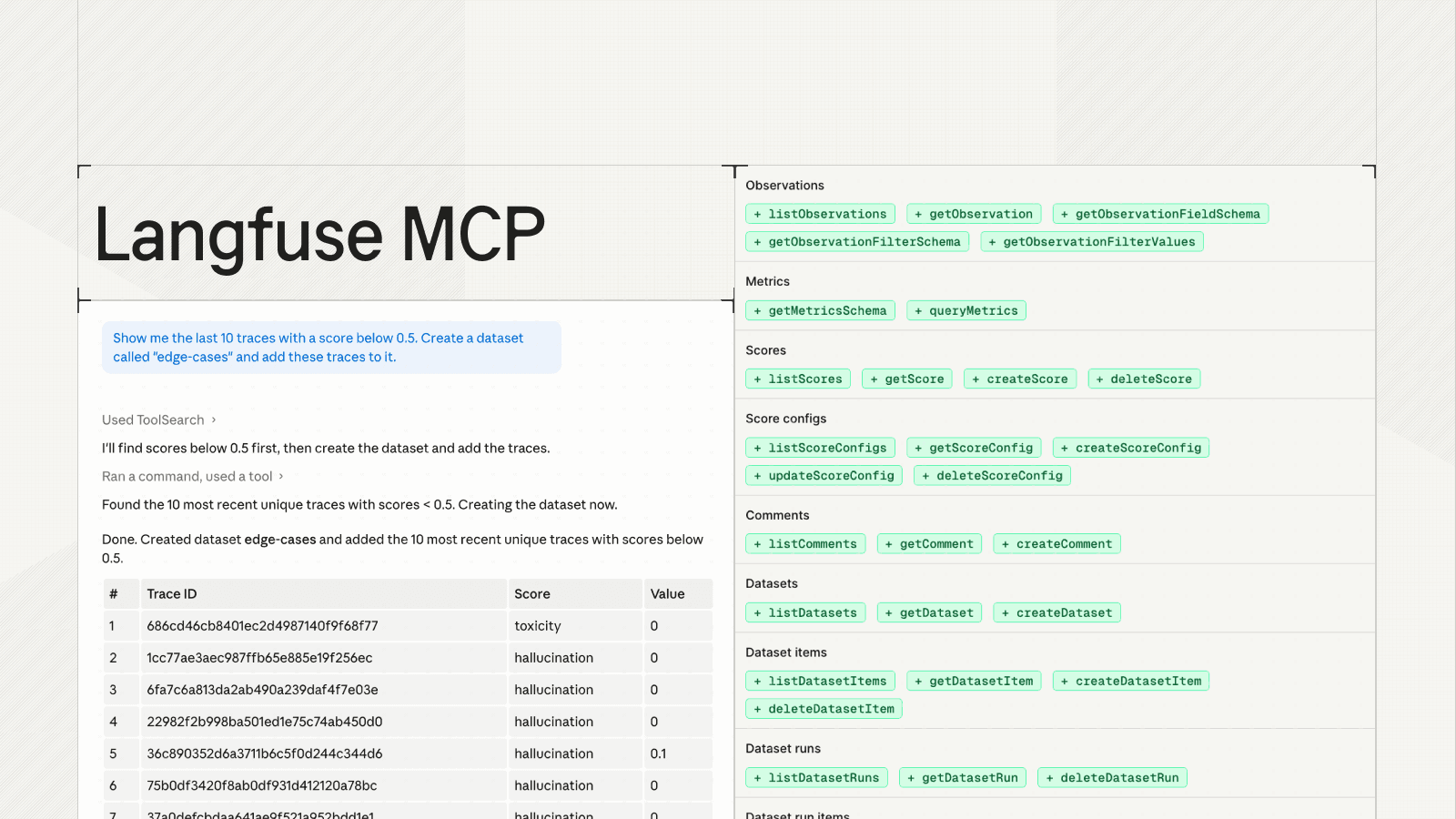
The hosted Langfuse MCP server now includes new tools for working with observations, metrics, scores, datasets, comments, and annotation queues from AI agents.
With this update, most Langfuse project data is available in the Langfuse MCP server. For a full tool list, check MCP Reference or see the list of newly added tools below.
This opens up new workflows for using Langfuse in agentic development. For example, an agent can investigate a production issue, pull the relevant observation details, compare metrics, create or update scores, add comments for the team, or prepare dataset items for regression testing.
The goal is to make Langfuse data actionable where teams already work with AI agents outside of coding agents. For example, in custom internal tools, you can directly integrate Langfuse's full capabilities to enrich context for debugging, evaluation, and continuous improvement.
This complements the Langfuse CLI, which remains the recommended way to access Langfuse project data from CLI agents (or any agent that has access to a sandbox). This is because the CLI allows agents to pre-filter for only relevant data, thus saving context. The hosted MCP server is best for tools that cannot use or install CLI tools, such as Claude Desktop, Linear Agents, and so on. If you don't want those tools to have write access to your data, please allow-list only the read tool equivalents. See the docs here.
The MCP server still accesses the tools via the public API, so every MCP consumer must obtain a valid API key.
View the full MCP tool list, input schemas, and setup snippets in our MCP Reference.
Tools
PromptsgetPromptgetPromptUnresolvedlistPromptscreateTextPromptcreateChatPromptupdatePromptLabels |
Observations+ listObservations+ getObservation+ getObservationFieldSchema+ getObservationFilterSchema+ getObservationFilterValues |
Metrics+ getMetricsSchema+ queryMetrics |
Scores+ listScores+ getScore+ createScore |
Score configs+ listScoreConfigs+ getScoreConfig+ createScoreConfig+ updateScoreConfig+ deleteScoreConfig |
Comments+ listComments+ getComment+ createComment |
Datasets+ listDatasets+ getDataset+ upsertDataset |
Dataset items+ listDatasetItems+ getDatasetItem+ upsertDatasetItem+ deleteDatasetItem |
Dataset runs+ listDatasetRuns+ getDatasetRun+ deleteDatasetRun |
Dataset run items+ listDatasetRunItems+ createDatasetRunItem |
Models+ listModels+ getModel+ createModel+ deleteModel |
Annotation queues+ listAnnotationQueues+ getAnnotationQueue+ createAnnotationQueue |
Annotation queue items+ listAnnotationQueueItems+ getAnnotationQueueItem+ createAnnotationQueueItem+ updateAnnotationQueueItem+ deleteAnnotationQueueItem |
Annotation queue assignments+ createAnnotationQueueAssignment+ deleteAnnotationQueueAssignment |
Media+ getMedia |
Health+ getHealth |
Feedback
We'd love to hear about your experience and learn more about how you are using the MCP server. Please share your use cases, feedback, and ideas in our GitHub Discussion.
Get started
- MCP Server Documentation - Complete setup guide
- MCP Reference - Current tools, setup snippets, schemas, and generated requests