← Back to changelog Ben Bachem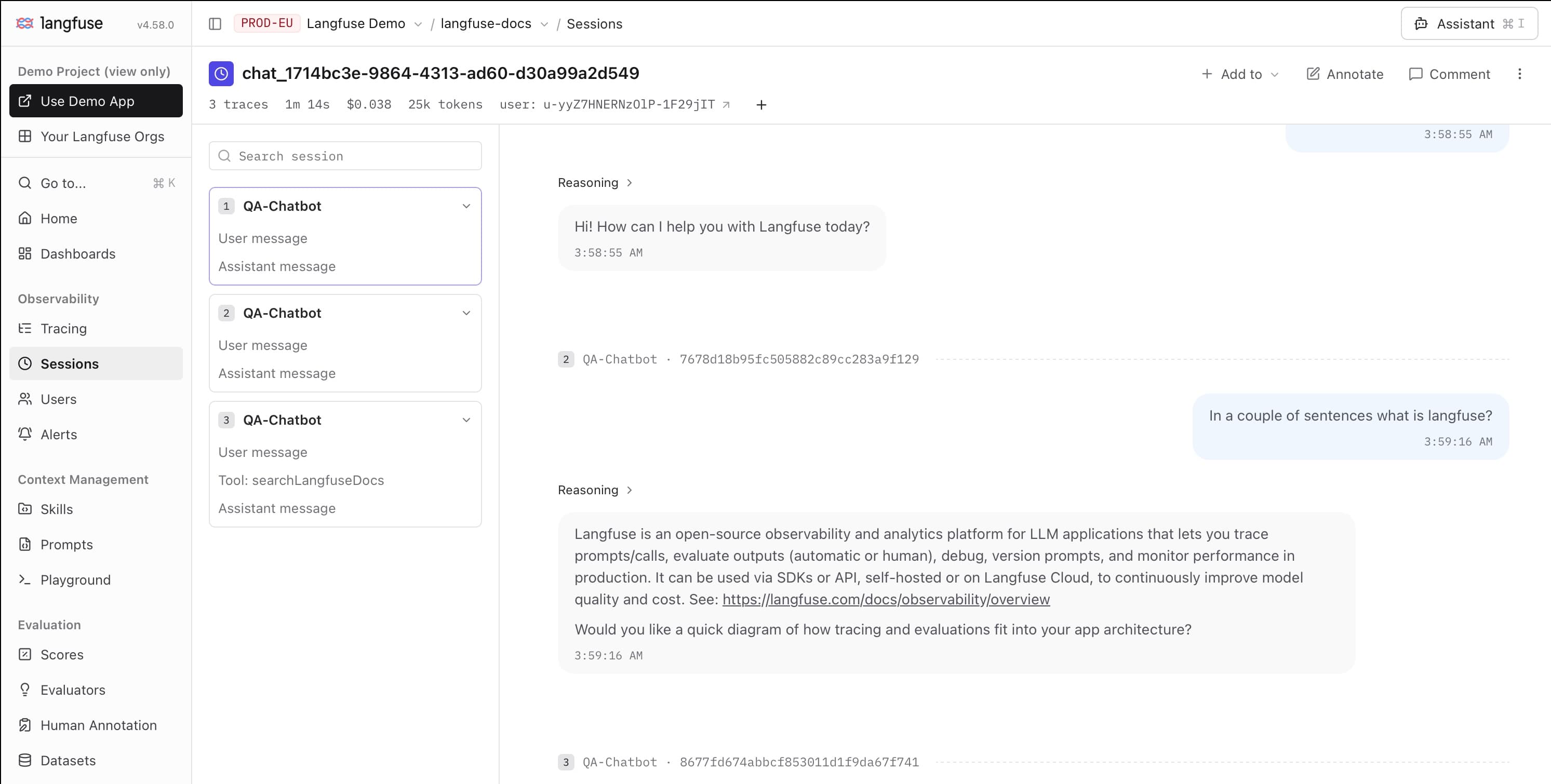
October 13, 2026
Redesigned session view
Ben BachemRead user and assistant messages across traces in one continuous conversation, with a sidebar to navigate messages, traces, and tool usage.
The redesigned session view brings user and assistant messages across traces into one continuous conversation, with a sidebar for navigating messages, traces, and tool usage.
- Debug conversations: Follow the user's requests and the assistant's responses to find where an interaction went off track, then jump to the relevant trace.
- Inspect tool usage: Use the sidebar to see which tools an agent called and where those calls fit into the conversation.
- Evaluate responses in context: Review each response alongside earlier messages to assess whether the assistant understood the user and built on previous turns.
Further improvements
The sessions table now includes filters for tool usage, making it easier to find conversations to investigate:
- Tool Names (Available): Find sessions where a particular tool was available to the model.
- Tool Names (Called): Find sessions where a particular tool was actually called.
- Tool Calls: Filter by the number of tool calls, for example to find sessions with no calls or unusually frequent tool usage.
Get started
Open Sessions in your project and select a session to explore its conversation. If you are not grouping traces into sessions yet, set up a shared sessionId for observations belonging to the same interaction.
Was this page helpful?