Set up production evaluations with ease
 Tobias Wochinger
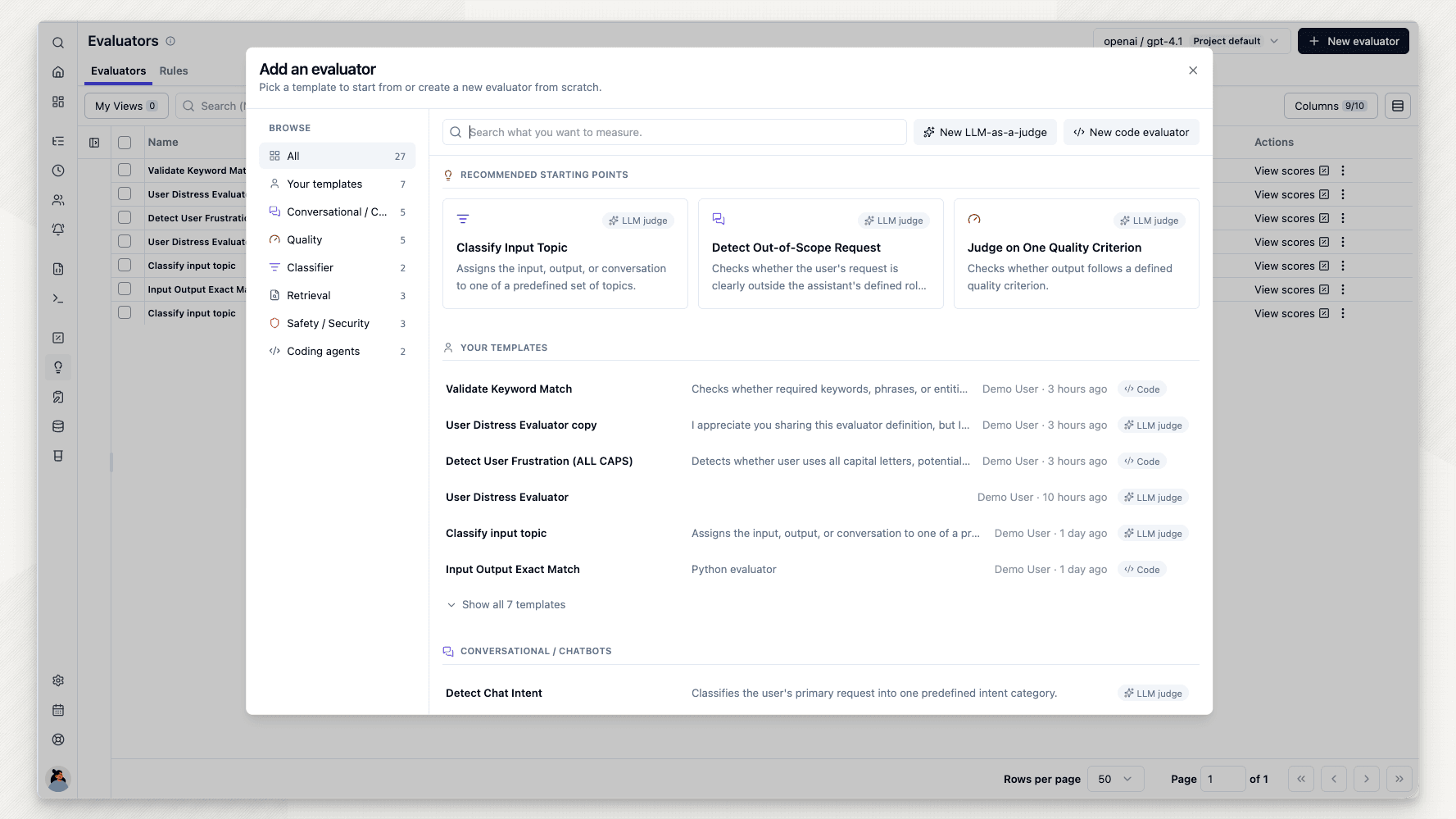
A new workflow for defining evaluators, testing them on real data, and running them online.
We rebuilt the evaluator setup experience to make it easier to create, test, and manage LLM-as-a-Judge and code evaluators. Test evaluators against real observations, map variables with ease, and reuse your evaluation targets across evaluators.
Evaluators > “New evaluator” > LLM-as-a-judge template “Detect Out-of-Scope Request”. Filter the sample to the support chatbot's generations, run the judge on one sample (score false with reasoning), click “Create evaluator” and, in the “Evaluator saved” dialog, reuse the configured filters as the rule for incoming observations.
- Meet rules: Evaluators define how data is scored. Rules define which incoming observations are evaluated. Reuse a rule's filters and sampling across evaluators, or run the same evaluator with different rules.
- Test your evaluator: Define and test evaluators side by side using data from real observations. Inspect the result, then refine the model, prompt, score definition, or mappings before saving.
- Goodbye JSONPath: Map data to LLM-as-a-Judge variables by clicking through real observations. JSONPath remains available for advanced mappings.
- Stay in control of costs: Before running online evaluations, review the matching volume from the past seven days. For LLM-as-a-Judge evaluators, you can also review the estimated cost and adjust sampling.
- Build production-ready evaluators faster with our updated selection of evaluator templates.
Existing observation-level evaluators have been upgraded to the new experience. For trace-level evaluators, follow the migration steps.