Trace an LLM application without code changes
Adding an observability SDK means touching code, getting a review, and deploying. For a quick look at an existing app, a third-party tool, or a service owned by another team, that is often more than you want. Most LLM clients already let you set a base URL and an API key from configuration, and that is enough to record every model call.
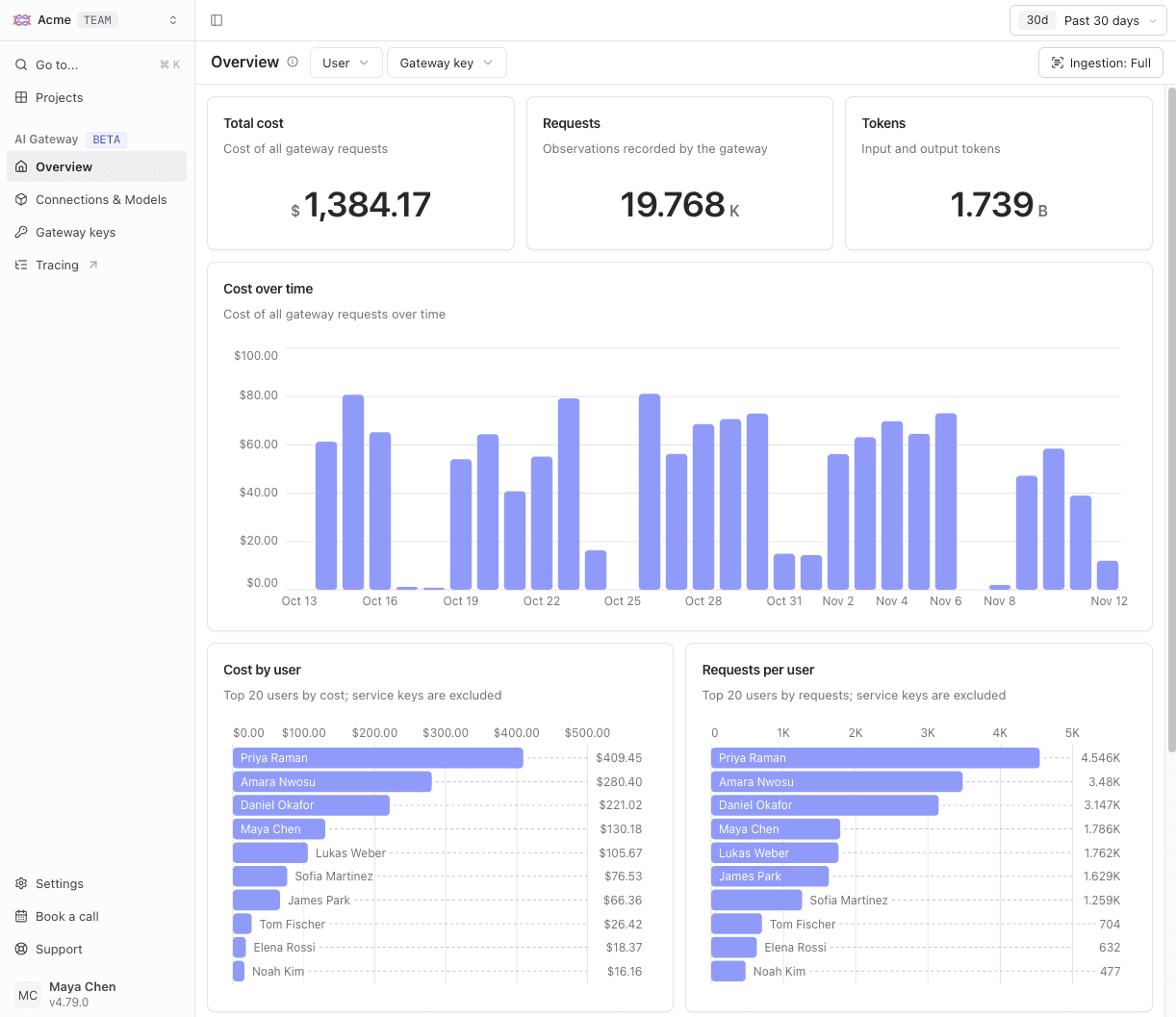
TL;DR: Create a key in the Langfuse AI Gateway, then set two values in the app's configuration: the base URL (for example OPENAI_BASE_URL) to the gateway's OpenAI or Anthropic route, and the API key to the gateway key. Every call is then recorded as a Langfuse generation with model, tokens, cost, latency, and errors. Turn on FULL mode to also record prompts and responses. When you need spans for retrieval, tools, or business logic, add the Langfuse SDK later.
How it works
The gateway accepts the native OpenAI and Anthropic APIs, so the app keeps using its existing client library. It forwards each request to the provider with the organization's provider connection, streams the response back, and records the call. The app doesn't know it is being traced, apart from the different base URL and key.
| You change | To |
|---|---|
| OpenAI base URL | https://gateway.cloud.langfuse.com/openai/v1 |
| Anthropic base URL | https://gateway.cloud.langfuse.com/anthropic |
| API key | A gateway key from AI Gateway → Gateway keys |
| Model name, if needed | A model ID your connections allow |
The hosts above are for the EU region. Use your region's gateway host for US, Japan, HIPAA, or a self-hosted deployment.
Set it up
- An admin adds a provider connection once. See admin setup.
- Create a gateway key. For a service, ask an admin for a service account key named after the app, so the app shows up as its own trace user. See gateway API keys.
- Change the app's configuration. Many OpenAI clients read
OPENAI_BASE_URLandOPENAI_API_KEYfrom the environment:
export OPENAI_BASE_URL="https://gateway.cloud.langfuse.com/openai/v1"
export OPENAI_API_KEY="<gateway-key>"- Restart the app and send a request. The generation appears in the project the gateway writes to.
If the app's client doesn't read the base URL from the environment, set it where the client is created. That is a one-line change instead of an SDK integration. Send your first request has examples for the OpenAI SDK, Anthropic SDK, Vercel AI SDK, and coding agents.
What you get
In the default USAGE ingestion mode, each call records the model, token usage including cached and reasoning tokens, cost, latency, time to first token, errors, and the trace user. In FULL mode, it also records the input and output, which you need for debugging prompts, running evaluations, or building datasets. The mode is set for the whole organization.
To add context without code, send optional request headers if your client supports default headers: langfuse-environment, langfuse-tags, langfuse-metadata, langfuse-session-id, or langfuse-trace-name.
Check the supported providers before you switch. The gateway does not translate between API formats, so an app keeps calling the provider API it was written for. Retries, fallbacks, and caching are not part of the gateway during the beta. See known limitations.
What you don't get
The gateway sees model calls, not the application around them. Each call becomes its own trace, unless the client sends a traceparent header. You won't see retrieval steps, tool executions, or how several calls belong to one user request. When you need that, add the SDK and keep the gateway. See AI gateway vs SDK tracing.
FAQ
Can I trace calls to providers the gateway doesn't support?
Not through the gateway. Use the Langfuse SDKs, an OpenTelemetry integration, or one of the model provider integrations instead.
Does routing through the gateway add latency?
The gateway forwards requests and streams responses without changing the API format, and records the call after the response. Compare time to first token before and after the switch on your own traffic to see the difference for your region.
Does this work with self-hosted Langfuse?
Yes. Run the self-hosted gateway next to Langfuse and use its URL as the base URL.